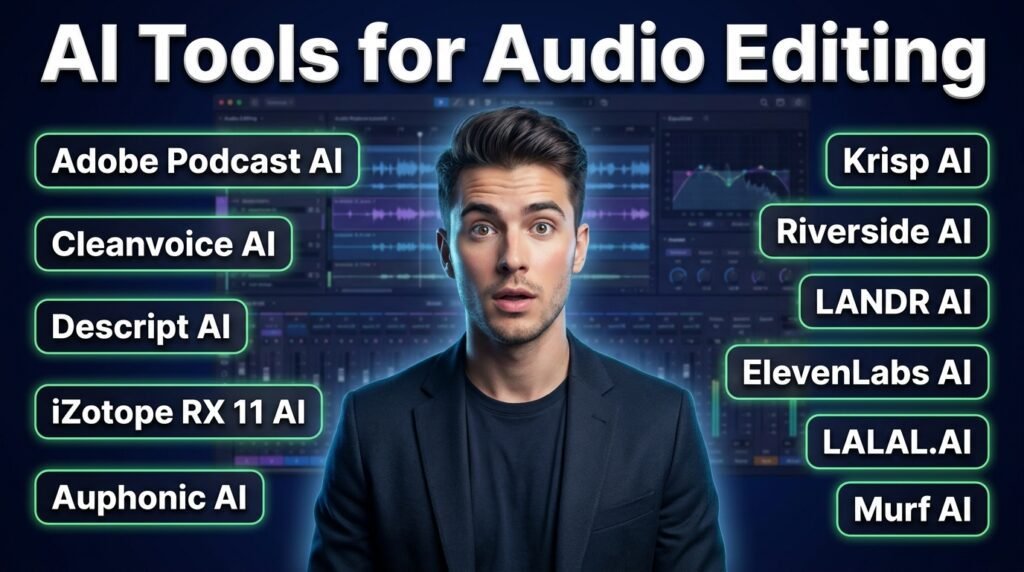
The most trusted AI options for audio editing in 2026 include Adobe Podcast, Cleanvoice AI, Descript, iZotope RX, Auphonic, Krisp and Riverside.fm, LANDR AI and ElevenLabs AI.
If you’ve ever recorded a great interview, played it back only to hear background noise, “umms,” uneven volume and found the echo bouncing around the room. The content is solid, but the uneven noises make it a rough piece of recording.
AI tools for audio editing are the best solution to filter your audio. These tools honestly handle things that take hours. They strip out background noise, level voices, remove filler words, and clean up recordings.
The best part is you don’t need to hire an audio engineer and get the work done in your browser. But what are the best AI editor tools to get the perfect results? In this guide, I will discuss the most relevant and well-known AI tools for audio editing.
Why AI Audio Tools Actually Matter?
In traditional audio editing, you had to find every problem’s solution manually, like applying EQ, compression, and noise reduction using expensive software. And it was a hectic task even for experienced editors.
AI integration in this field changes this technical part for the content creators. With the AI integration, users can detect background noise and remove it easily. The tool itself finds every “um” in the recording and cuts them all in one click.
These AIs are trained to make the laptop microphone recording sound as it is captured in a proper studio. But sometimes the output quality is distorted depending on the tool you are using. If you upload a clean original recording, the tools show the perfect results.
Best AI Tools for Audio Editing
1. Adobe Podcast AI
Adobe Podcast AI is one of the most accessible AI audio enhancer tools. You upload a voice recording, and it edits the recording like it were captured in a soundproofed studio.
It perfecty cut background noise and improves voice clarity. It accepts MP3, WAV, M4A, and MP4 files and outputs a clean WAV.
Pricing
Adobe Podcast AI has a free plan that is ideal for testing the tool’s basic level performance. The pricing starts at $9.99 per month, including the free trial.
Adobe Podcast AI gives excellent results with clear voice input. If your audio file has background music playing, the enhancement can sometimes affect the music.
2. Cleanvoice AI
Cleanvoice AI is an excellent audio editor for podcasters. It removes filler words from your input file, like “um,” “uh,” and “like,” and background noise. You upload your audio or video file and get a clean version of the transcript.
The batch processing of the tool lets you handle multiple episodes at once. It also has an API, which makes it useful for teams that want audio cleanup inside a larger production system.
Pricing
The AI offers a free trial with the paid tiers starting around $11 per month, based on hours used.
Sometimes Cleanvoice AI cuts words it shouldn’t, mainly from fast speakers or non-native English speakers.
3. Descript AI
Descript AI is an excellent audio editing tool. The AI works differently from the others, and instead of working with a waveform, it edits a text transcript. Descript AI deletes a sentence in the transcript, and the audio cuts with it.
It’s perfect for people who aren’t comfortable with traditional audio editors. Its Studio Sound feature acts as an AI audio enhancer that reduces background noise. The Overdub feature lets you clone your own voice to fix narration mistakes.
Pricing
The platform offers a free plan that allows one hour of transcription per month. At the same time, the paid plans start at $24 per month.
Descript is an editor first for deeply technical audio problems like severe echo or distortion. But voice cloning depends heavily on the quality of your training recording.
4. iZotope RX 11 AI
iZotope RX 11 is a professional audio editing tool available. Its plugins integrate directly into Logic Pro, Pro Tools, and Adobe Audition. The AI modules can separate speech from background noise.
The interface shows a visual spectral view of your audio so you can see problems and remove them with precision.
Pricing
iZotope offers subscription-based pricing. The Plus plan starts at $12 per month.
The tool is not beginner-friendly, and the price reflects a professional tool. But for audio rescue work, nothing comes close.
5. Auphonic AI
Auphonic AI handles the post-production stage. You upload a finished edit, and the tool applies noise reduction, loudness normalization, and reverb reduction. It also balances audio levels between different speakers.
The tool accepts WAV, MP3, FLAC, and AAC formats. Many professionals use Auphonic as the final step after editing in Descript AI.
Pricing
The free plan includes two hours of processing per month. Paid tier starts at $13 per month.
6. Krisp AI
Krisp AI runs in the background. It ideally cancels background noise from both your microphone and incoming audio. You can integrate it with Zoom, Teams, Discord, Slack, and most other communication platforms.
Krisp cleans up the guest’s end of the call for podcasters who record remote guests.
Pricing
It offers a free plan for basic usage, but the paid plan unlocks more advanced features.
Krisp can add a slight compression effect to your voice on its most aggressive noise removal setting.
7. Riverside AI
Riverside AI records each participant locally on their device. That means you get clean, uncompressed audio. The post-production AI tools apply noise reduction, automatic leveling, and voice enhancement after the session ends.
It generates transcripts and supports text-based editing. Riverside gives the best possible audio file to start with, which makes every editing step easier.
Pricing
A free plan of the tool allows unlimited recording, and paid plans start at $29 per month. It works in the browser on desktop and mobile.
8. LANDR AI
LANDR AI is the most widely used AI for audio editing. It analyses your track and applies compression. It limits the loudness and clarity expected on streaming platforms. LANDR works well for pop, hip hop, and electronic music.
For heavy recordings, a human mastering engineer still makes a noticeable difference in terms of judgment. The accepted formats of the tool include WAV, AIFF, and MP3. It’s one of the best AI audio enhancer options for anyone in music production.
Pricing
The platform offers the subscription-based tiers strating from $13/month.
9. ElevenLabs AI
ElevenLabs AI generates realistic AI voices from text. It supports voice cloning with strong emotional control. It removes the need for a studio and a voice recorder for creators who produce audio and video content in multiple languages.
Its voice cloning quality is among the most realistic features available. It works in the browser and processes in the cloud. The AI prohibits cloning another person’s voice without their consent.
Pricing
Free tier access is available, and paid plans start at $5 per month.
10. LALAL.AI
LALAL.AI specialises in stem separation. When you upload a song, it pulls out the vocals separately from the drums, bass, or guitar. This is useful for remixing, sampling, and music production work.
It’s also expanded into noise reduction and echo removal. LALAL.AI can separate background music from a voice track for the creators and podcasters.
Pricing
Pricing is credit-based, with free credits available for testing. Most standard-length tracks process in under two minutes.
11. Murf AI
Murf AI is a voice editing tool. It offers over 120 voices across 20 languages with controls for pitch, speed, emphasis, and tone. It is ideal to create professional narration for videos, presentations, or e-learning content without recording themselves.
Murf AI removes the need for a voice recorder or any recording setup.
Pricing
A free plan of the tool includes 10 minutes of voice generation, and the Creator plan starts at $29 per month.
Quick Reference: 11 AI Audio Tools at a Glance
| Tool | Free Plan | Works In | Best For |
| Adobe Podcast AI | Yes | Browser | Voice enhancement, noise removal |
| Cleanvoice AI | Freemium | Browser | Filler words, podcast cleanup |
| Descript | Yes | Browser + Desktop | Text-based audio and video editing |
| iZotope RX 11 | No | Desktop | Professional audio repair |
| Auphonic | Yes | Browser | Leveling, normalization |
| Krisp | Yes | Desktop app | Real-time noise cancellation |
| Riverside.fm | Yes | Browser | Remote recording, transcription |
| LANDR | No | Browser | Music mastering |
| ElevenLabs | Yes | Browser | AI voice generation, dubbing |
| LALAL.AI | Yes | Browser | Stem separation, vocal isolation |
| Murf AI | Yes | Browser | Voiceover and narration |
How to Pick the Right Tool for Your Needs?
The right choice depends on your problem. Analyse what your biggest problem actually is in the production process.
If your recordings have background noise, start with Adobe Podcast AI or Krisp. Both have free starting points and improve this specific problem.
If you’re spending too long cutting out filler words and silences, Cleanvoice AI and Descript handle that fastest. Similarly, Riverside.fm is ideal for regularly recording remote guests.
Similarly, LANDR nd Murf AI’s voiceover tools give you quality audio to add the background music for videos.
What Happens When AI Tools Get It Wrong?
As I mentioned above, Cleanvoice AI sometimes cuts words, particularly with fast speakers. Descript’s transcript mishears words, and if you edit without listening back, you might cut the wrong moment. iZotope RX can affect voice quality if noise removal settings are pushed too aggressively.
The ideal solution for it is to keep the original unprocessed audio file before applying any AI processing. Then listen back to the output before publishing. These can work well to catch most problems.
Conclusion
Now, AI audio editing tools make it easy to produce professional-sounding content. A few years ago, you needed a recording room, expensive microphones, professional software, and experience editor to handle all these tasks.
But the AI integration is now the most trusted option across different use cases. In the guide, I have discussed the well-known AI tools for audio editing. These include Adobe podcast, Cleanvoice AI, Descript, iZotope RX, Auphonic, Krisp, Riverside.fm, LANDR AI and ElevenLabs AI.
Whether you’re cleaning up a podcast episode, removing background noise or generating narration from a script, these tools are an ideal fit for your job.
FAQs
Is there a good AI audio editor online, free with no download required?
Yes, Adobe Podcast AI works in the browser without installation. It is the most powerful tool for voice enhancement.
Which is the best free AI audio editor for music production?
LANDR and LALAL.AI are perfect for mastering, stem separation and vocal isolation. Similarly, some other tools like Audacity work best for local editing with no usage limits.
Do these AI tools work with accents and non-English languages?
It depends on the tool. Auphonic AI supports transcription in 100+ languages and handles non-English audio well. Cleanvoice AI supports multiple languages for filler word removal. Otter.ai and Descript perform best on standard-accent English.