

Discover, Compare & Master Find the best AI tools for your next project in seconds. Check our latest AI insights

Pixmory AI

Verified Trending

Pixmory creates AI videos & images from prompts with editing tools. Review covers pricing, features, & real content workflows clearly.

4.4/5 editorial rating 731 upvotes
  • Main category: video
  • Subcategory: Video Generator
  • Pricing: Freemium
  • Web
  • Best For Generating short AI videos and visual content from text prompts and images for social media and marketing use
  • Free Trial Yes
  • Reviewed By Waleed Fayyaz
  • Last Updated April 17, 2026

Editorial note: ratings and verdicts on this page are internal editorial assessments, not third-party user review averages.
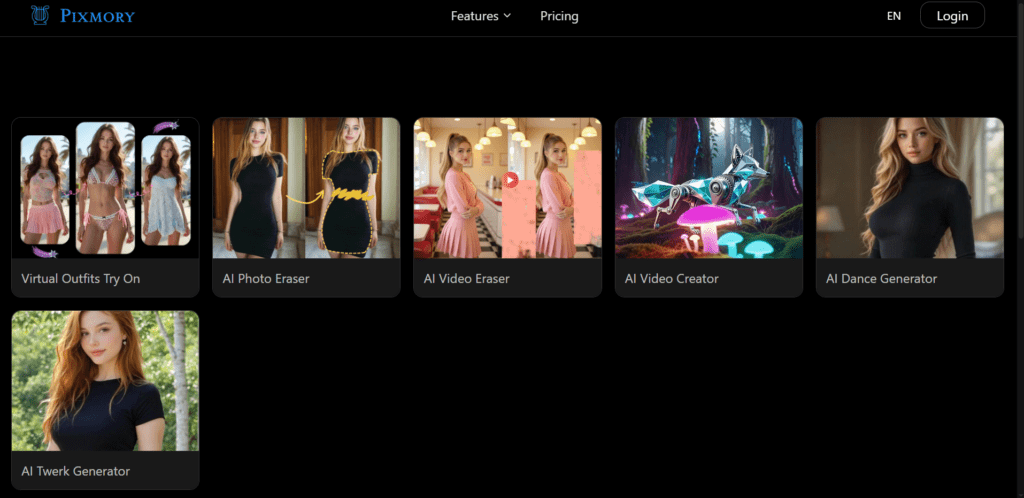
AI Image & Video Generation Platform for Creative Content | Pixmory

Pixmory AI Verdict

Pixmory provides functional value for users who need fast AI-generated visual content without editing software. The freemium model supports testing, while paid plans scale output through credits and higher resolution options. It suits marketers, creators, and social media users. It is less suitable for users requiring precise timeline editing or long-form video production.

What Is Pixmory AI?

Pixmory is an AI visual content platform that generates images and videos from text prompts and uploaded media. Users can create short-form videos, animate images, and apply editing tools directly in the browser without installing software.
The platform uses generative AI models such as text-to-video and image-to-video systems to convert prompts into structured visual outputs. It processes scene descriptions to generate motion, transitions, and visual continuity. Features like object removal and animation rely on computer vision and generative video models to maintain consistency across frames.
In professional workflows, Pixmory functions as a rapid content production tool for short videos, ads, and social media assets. Teams use it to create quick visual drafts, marketing clips, and concept videos without manual editing. The browser-based setup allows fast iteration and remote collaboration without hardware requirements.

Review Summary

  • Performance Score B+
  • Content Quality Produces short AI-generated videos with acceptable visual consistency and motion continuity
  • Interface Simple prompt-based interface with minimal setup and browser-based tools
  • Ai Technology Generative AI, text-to-video models, computer vision
  • Purpose Generate and edit short-form visual content using AI prompts and media inputs
  • Compatibility Web-based platform, works on modern browsers, no installation required
  • Pricing Summary Credit-based freemium model with paid plans unlocking higher resolution and more generation credits

Pixmory AI Key Features

  • 1

    Text-to-video generation

  • 2

    Image-to-video animation

  • 3

    AI object removal from video

  • 4

    Prompt-based visual editing

  • 5

    Short video generation engine

  • 6

    Browser-based video creation

  • 7

    Credit-based rendering system

Who Should Use Pixmory AI?

Is Pixmory AI Worth It?

Pixmory AI offers a free starting point, while paid plans may make sense for heavier or team-based use.

Pros And Cons

Pros

  • Generates videos directly from prompts and images
  • No software installation required
  • Supports fast content prototyping
  • Free plan available for testing

Cons

  • Limited control over detailed editing
  • Short video duration limits
  • Output quality varies by prompt complexity
  • Credit system restricts high-volume usage

Pixmory AI Pricing

Free

$0/month

  • (limited daily generations,
  • basic resolution

Pro

$10/month

  • more credits,
  • higher resolution,
  • extended features

Prime

Custom Pricing

  • higher limits,
  • priority rendering,
  • advanced tools

Frequently Asked Questions