Editorial note: ratings and verdicts on this page are internal editorial assessments, not third-party user review averages.
Vidix Verdict
The Daily AI tools team found Vidix as a powerful AI-driven productivity assistant built exclusively for macOS. The tool is a must-try productivity enhancer, especially for professionals who write, edit, automate tasks, or build workflows across Slack, Notes, Mail, code editors, and browsers. Vidix stands out because it integrates AI agents directly into your Mac experience.
What Is Vidix?
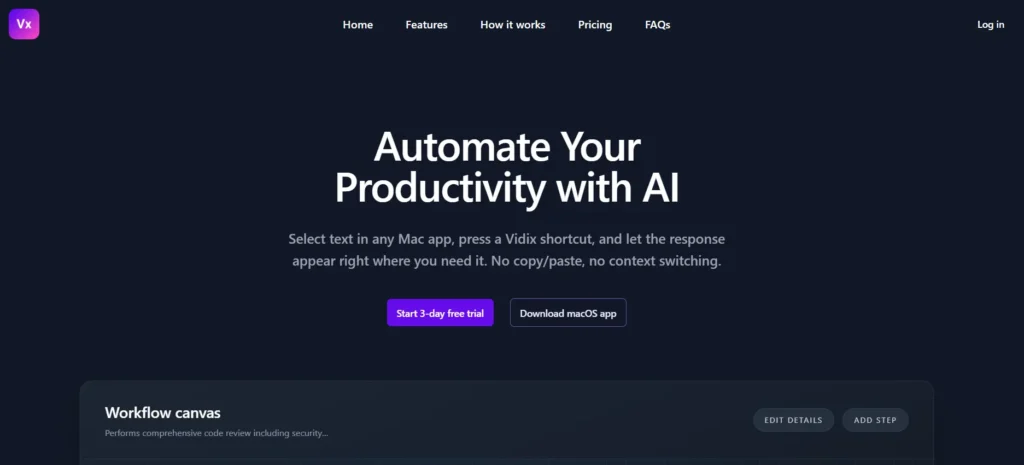
Vidix is an AI automation and context-aware assistant app for macOS that embeds AI directly into your day-to-day workflow. Instead of switching between apps or copying text back and forth, Vidix lets you select text in any application and run AI actions with a simple keyboard shortcut.
Moreover, the tool captures your selected text context and sends it to your preferred AI provider (like OpenAI, Anthropic, Gemini, or Ollama), then pastes back the AI answer or displays it in a buffer for you to edit.
The platform acts like an intelligent assistant embedded inside your Mac. It will let you automate writing, summarising, code generation, translation, analysis, and more. Its customizable hotkeys, built-in Palette launcher, and local privacy controls make it a tool that feels native and fast.
Review Summary
Performance ScoreA
Content QualityHigh
InterfaceClean, native Mac toolbar + palette with hotkey-based workflow
Ai TechnologyUses integrated LLMs (OpenAI, Anthropic, Gemini, Ollama) through token-based execution
PurposeProductivity automation, writing help, code assistance, and content transformation across apps
CompatibilitymacOS Ventura 13.1 and later.
Pricing SummarySubscription plans with varying AI token limits and device licenses.
Vidix Key Features
1
Universal Text Capture
2
Hotkey AI Invocation
3
Custom AI Agents
4
AI Response Injection
5
Image Assistant
6
Supports Local AI Models
7
Privacy First
8
Multi-Provider Support
Who Should Use Vidix?
Explore this detailed Vidix review. An AI automation and productivity app for macOS. Get pricing, features, pros, & cons.
Is Vidix Worth It?
Vidix is a paid product, so value depends on whether its features, performance, and workflow justify the cost.
Pros And Cons
Pros
Supercharges your macOS workflow
Custom hotkeys and agents save huge time on repetitive tasks.
Palette & editor buffer give safe iterative results before pasting.
Works with multiple AI providers
Local logs and local AI reduce privacy concerns.
Image assistant adds multimodal workflows.
Cons
macOS only (no Windows or browser version yet).
Token limits on plans may not suit heavy users without an upgrade.
Initial setup of external API keys can be confusing for beginners.
Not a dedicated video editor.
Vidix Pricing
Monthly Pack
$9.99 per seat/month
Unlimited recipe library with automatic device sync
Live streaming & advanced editor with AI assistance
Image assistant with Gemini AI & history tracking
Admin panel with roles & instant license management
Professional Plan
$99.99 per seat/year
Unlimited recipe library with automatic device sync
Live streaming & advanced editor with AI assistance
Image assistant with Gemini AI & history tracking
Admin panel with roles & instant license management
Frequently Asked Questions
Vidix responds noticeably faster than browser-based AI tools because it runs directly on macOS and triggers actions locally. Instead of loading web pages or switching tabs, Vidix captures text instantly and sends requests straight to the AI model, reducing latency and improving real-time workflow speed.
No. Vidix is designed as a lightweight background application that only activates when a shortcut or command is triggered. It does not continuously consume system resources, making it safe to run alongside demanding apps like code editors, browsers, or design tools.
Vidix delivers high accuracy because it processes live, user-selected context instead of generic prompts. This context-aware approach improves results for tasks like rewriting emails, summarising documents, reviewing code, and analysing text directly inside the app you are using.
Yes. Vidix can process long text blocks efficiently, depending on your token allowance and selected AI provider. Unlike web tools that often fail with long inputs, Vidix maintains stable performance by managing requests locally and returning results smoothly within your workflow.
Vidix is highly reliable for daily use because it integrates directly into macOS rather than relying on browser sessions. Hotkeys, custom agents, and local processing ensure consistent performance even during extended work sessions, making it suitable for writers, developers, and business users.
Yes. Vidix is optimised to switch between AI providers like OpenAI, Anthropic, Gemini, or local models without performance loss. Users can choose the fastest or most cost-effective provider based on workload, ensuring stable results without workflow interruption.