

Discover, Compare & Master Find the best AI tools for your next project in seconds. Check our latest AI insights

Krisp AI

Verified Trending

Krisp AI removes noise, transcribes meetings, & generates notes. Review covers pricing, features, integrations, & real workflow use cases.

4.6/5 editorial rating 958 upvotes
  • Main category: audio
  • Subcategory: Voice and Audio Editing
  • Pricing: Free
  • Web
  • Mobile
  • Best For Removing background noise and generating meeting transcripts, summaries, and notes across communication apps
  • Free Trial Yes
  • Reviewed By Waleed Fayyaz
  • Last Updated April 17, 2026

Editorial note: ratings and verdicts on this page are internal editorial assessments, not third-party user review averages.
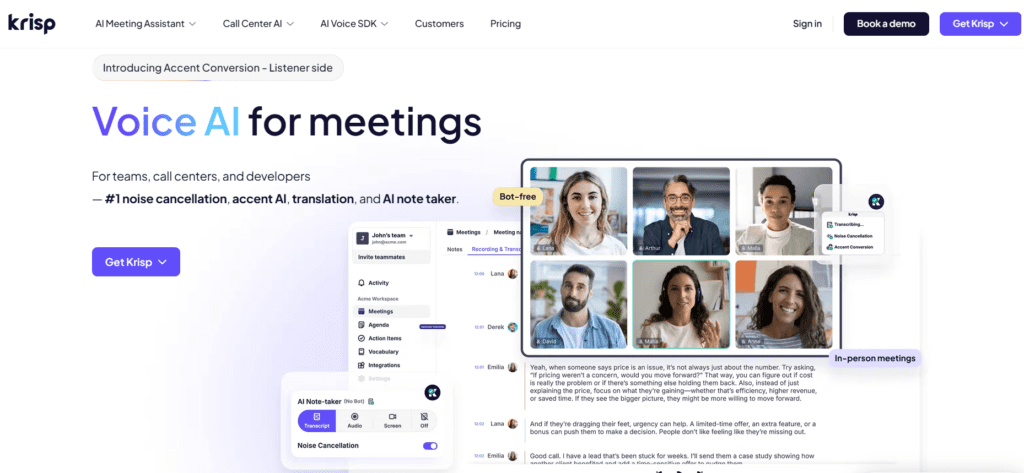
Voice AI for Meetings: Noise Cancellation & AI Note Taker | Krisp

Krisp AI Verdict

Krisp delivers clear utility for professionals who rely on voice communication in meetings and calls. The cost is justified for users handling frequent calls where clarity and documentation impact productivity. It suits remote teams, sales, and support roles. It is less suitable for users needing creative audio editing or music production tools.

What Is Krisp AI?

Krisp is an AI-powered voice processing and meeting assistant platform designed to improve audio quality and capture meeting data. It removes background noise, records conversations, and generates transcripts and summaries across communication platforms.
The platform uses machine learning and speech processing models to filter noise, enhance voice clarity, and convert speech into structured text. It applies real-time audio processing to remove echo, background voices, and environmental sounds while also generating transcripts and action items.
In professional workflows, Krisp acts as a communication layer that integrates with tools like Zoom, Microsoft Teams, and Google Meet. Teams use it to improve call clarity, automate meeting documentation, and sync notes with CRM and collaboration tools.

Review Summary

  • Performance Score A
  • Content Quality Produces clear audio output with accurate transcription and structured meeting summaries
  • Interface Lightweight interface with background processing and minimal user interaction
  • Ai Technology Machine learning, speech enhancement, speech-to-text models
  • Purpose Improve voice communication quality and automate meeting documentation
  • Compatibility Windows, macOS, iOS, Android, integrates with Zoom, Teams, Meet, Slack
  • Pricing Summary Freemium model with free usage limits and paid plans unlocking unlimited features and advanced AI tools

Krisp AI Key Features

  • 1

    AI noise and echo cancellation

  • 2

    Real-time meeting transcription

  • 3

    AI meeting notes and summaries

  • 4

    Accent conversion technology

  • 5

    Meeting recording and playback

  • 6

    CRM and collaboration integrations

  • 7

    Cross-platform voice processing

Who Should Use Krisp AI?

Is Krisp AI Worth It?

Krisp AI is a free tool, so the main question is whether its output quality and workflow match your needs.

Pros And Cons

Pros

  • Removes background noise in real time across apps
  • Works with most communication platforms
  • Generates transcripts and summaries automatically
  • Free plan available for basic usage

Cons

  • Free plan has strict usage limits
  • Limited control over transcription formatting
  • Not designed for audio editing or production
  • Requires stable internet for full features

Krisp AI Pricing

Free

$0/month

  • unlimited noise cancellation, full features

Pro

$8/month

  • unlimited noise cancellation,
  • full features

Business

$15/month

  • team features,
  • admin controls

Enterprise

Custom pricing

  • advanced security,
  • integrations, support

Frequently Asked Questions