

Discover, Compare & Master Find the best AI tools for your next project in seconds. Check our latest AI insights

Cleanvoice AI

Verified Featured

Cleanvoice AI removes filler words, noise, and pauses from audio. Review covers pricing, features, & podcast editing workflows clearly.

4.5/5 editorial rating 856 upvotes
  • Main category: audio
  • Subcategory: Voice and Audio Editing
  • Pricing: Freemium
  • Web
  • Best For Automatically cleaning podcast and voice recordings by removing filler words, noise, and pauses without manual editing
  • Free Trial Yes
  • Reviewed By Waleed Fayyaz
  • Last Updated April 17, 2026

Editorial note: ratings and verdicts on this page are internal editorial assessments, not third-party user review averages.
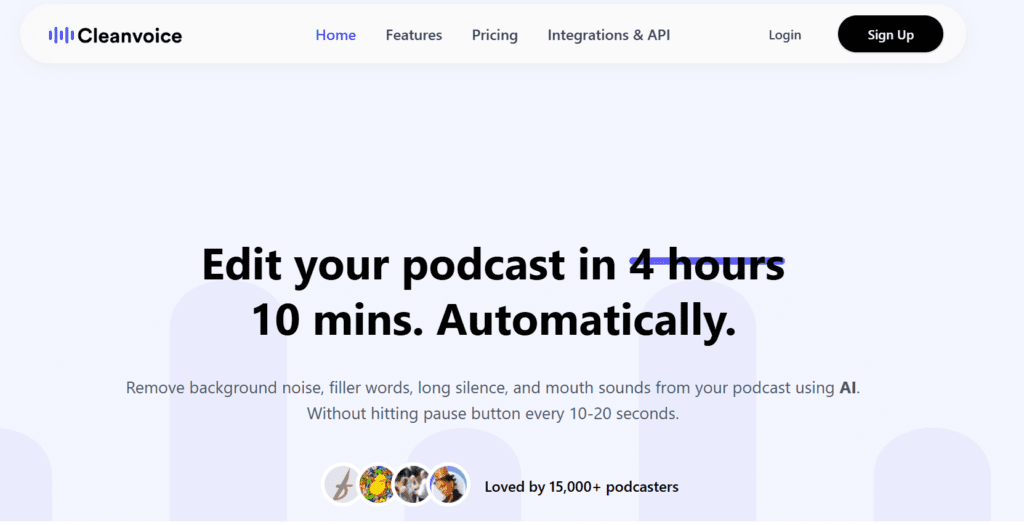
Cleanvoice AI | Edit Audio & Video Podcast in 10 Mins, in Clicks | AI Podcast Editor

Cleanvoice AI Verdict

Cleanvoice AI provides clear value for podcasters and creators who need automated audio cleanup without manual editing. The pricing is justified for users producing regular content where editing time impacts output speed. It suits podcasters, video creators, and teams handling large audio volumes. It is less suitable for users needing detailed multitrack editing or full production control.

What Is Cleanvoice AI?

Cleanvoice AI is an AI-based audio editing platform designed to clean and enhance spoken audio such as podcasts, interviews, and voiceovers. Users upload audio or video files, and the system automatically removes unwanted elements such as filler words, long pauses, and background noise.
The platform uses machine learning models trained on speech patterns to detect and remove artifacts like “um”, “uh”, breaths, and stutters. It also applies noise reduction, audio normalization, and enhancement techniques to improve clarity and balance sound levels.
In professional workflows, Cleanvoice functions as an automated post-production layer. Creators use it to reduce editing time and standardize audio quality across episodes. It integrates into podcast production pipelines by handling repetitive cleanup tasks and enabling faster publishing cycles.

Review Summary

  • Performance Score A
  • Content Quality Produces clean speech output with consistent removal of filler words and background noise
  • Interface Simple upload-based interface with minimal configuration required
  • Ai Technology Machine learning, speech processing, audio enhancement models
  • Purpose Automatically clean and enhance spoken audio recordings
  • Compatibility Web-based platform, browser access, supports audio and video uploads
  • Pricing Summary Subscription and pay-as-you-go model based on processed audio hours with free trial credits

Cleanvoice AI Key Features

  • 1

    Filler word removal

  • 2

    Background noise reduction

  • 3

    Breath and mouth sound removal

  • 4

    Silence and pause trimming

  • 5

    Audio enhancement and leveling

  • 6

    Podcast transcription and summaries

  • 7

    Video audio cleanup support

Who Should Use Cleanvoice AI?

Is Cleanvoice AI Worth It?

Cleanvoice AI offers a free starting point, while paid plans may make sense for heavier or team-based use.

Pros And Cons

Pros

  • Automates repetitive audio editing tasks
  • Improves clarity without manual intervention
  • Free trial available without credit card
  • Supports both audio and video processing

Cons

  • Limited control over detailed edits
  • Not suitable for music production workflows
  • Credit-based limits for heavy usage
  • Dependent on input audio quality

Cleanvoice AI Pricing

Free

$0

  • 30 minutes processing,
  • no credit card

Pay-as-you-go

From $11

  • 5 hours, $2.20/hour,
  • credits valid for 2 years

Subscription

$11–$90/month

  • 10–100 hours processing, lower hourly cost

Enterprise

Custom pricing

  • 200+ hours, API access, priority support

Frequently Asked Questions