

Discover, Compare & Master Find the best AI tools for your next project in seconds. Check our latest AI insights

Revocalize AI

Verified Featured

Revocalize AI clones and transforms vocals with studio-quality output. Review covers pricing, features, & real music production workflows clearly.

4.6/5 editorial rating 902 upvotes
  • Main category: audio
  • Subcategory: AI Singing Generator
  • Pricing: Freemium
  • Web
  • Best For Cloning and transforming vocals into studio-quality AI voices with pitch, emotion, and style control for music production
  • Free Trial Yes
  • Reviewed By Waleed Fayyaz
  • Last Updated April 16, 2026

Editorial note: ratings and verdicts on this page are internal editorial assessments, not third-party user review averages.
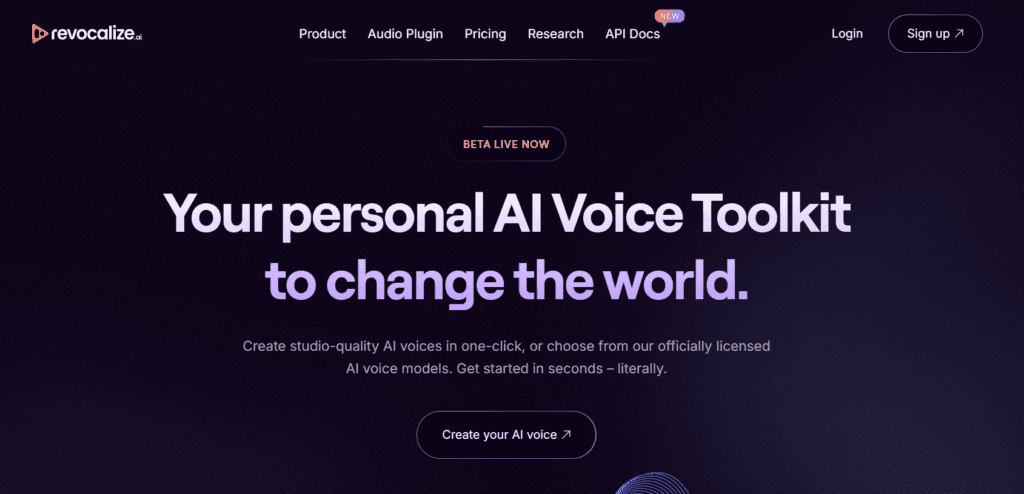
Revocalize AI – Studio-Level AI Voice Generation & Music Tools

Revocalize AI Verdict

Revocalize AI provides strong functional value for producers and creators who need high-quality vocal synthesis and transformation. The pricing is justified for workflows that require voice cloning, pitch correction, and commercial-ready output. It suits musicians, studios, and content teams. It is less suitable for users seeking simple prompt-based tools or full song generation systems.

What Is Revocalize AI?

Revocalize AI is a voice synthesis platform that allows users to clone, modify, and generate vocal tracks from recorded audio. It transforms input vocals into different voices while preserving melody and timing. The platform also includes features such as auto-tune, harmony generation, and vocal enhancement for studio-level output.
The platform uses deep neural networks and generative AI models trained on vocal datasets to replicate tone, pitch, and emotional expression. It analyzes vocal harmonics and applies voice conversion algorithms to produce realistic outputs. It also supports custom voice training and licensed voice models for controlled usage.
In professional workflows, Revocalize AI acts as a vocal production layer within music creation pipelines. Producers use it to generate demos, refine vocal tracks, and replace or enhance recordings. It integrates with digital audio workstations through plugins, enabling structured editing and scalable production workflows.

Review Summary

  • Performance Score A
  • Content Quality Produces high-quality vocal outputs with accurate pitch and emotional variation
  • Interface Studio-oriented interface with structured tools and moderate learning curve
  • Ai Technology Generative AI, deep learning voice synthesis, voice cloning models
  • Purpose Generate, clone, and transform vocals for music production and audio workflows
  • Compatibility Web platform, VST plugin for DAWs such as Ableton, FL Studio, and Logic Pro
  • Pricing Summary Freemium subscription model with tiered plans based on conversion minutes, voice models, and features

Revocalize AI Key Features

  • 1

    AI voice cloning

  • 2

    Vocal transformation engine

  • 3

    Real-time auto-pitch correction

  • 4

    Harmony generation system

  • 5

    Custom voice model training

  • 6

    Licensed voice library

  • 7

    DAW plugin integration

Who Should Use Revocalize AI?

Is Revocalize AI Worth It?

Revocalize AI offers a free starting point, while paid plans may make sense for heavier or team-based use.

Pros And Cons

Pros

  • Produces realistic vocal outputs with emotional control
  • Supports custom voice training and cloning
  • Integrates with DAWs for production workflows
  • Includes commercial licensing in paid plans

Cons

  • Free plan has limited conversion minutes
  • Requires clean input audio for best results
  • Learning curve for advanced features
  • Not designed for full music generation

Revocalize AI Pricing

Free

$0/month

  • limited minutes,
  • basic features,
  • no commercial use

Starter

$9/month

  • 120 minutes,
  • voice training,
  • commercial license

Creator

$39/month

  • higher limits,
  • advanced features,
  • priority processing

Pro

Custom pricing

  • enterprise features,
  • API access,
  • higher quality output

Frequently Asked Questions