
Discover, Compare & Master Find the best AI tools for your next project in seconds. Check our latest AI insights

Adobe Podcast AI

Verified

Adobe Podcast AI enhances voice recordings, removes noise, & edits audio with AI tools. Review covers pricing, features, & podcast workflows.

4.6/5 editorial rating 945 upvotes
  • Main category: audio
  • Subcategory: Voice and Audio Editing
  • Pricing: Freemium
  • Web
  • Best For Enhancing spoken audio quality and recording podcasts with AI-based noise reduction, transcription, and editing tools
  • Free Trial Yes
  • Reviewed By Waleed Fayyaz
  • Last Updated April 16, 2026

Editorial note: ratings and verdicts on this page are internal editorial assessments, not third-party user review averages.
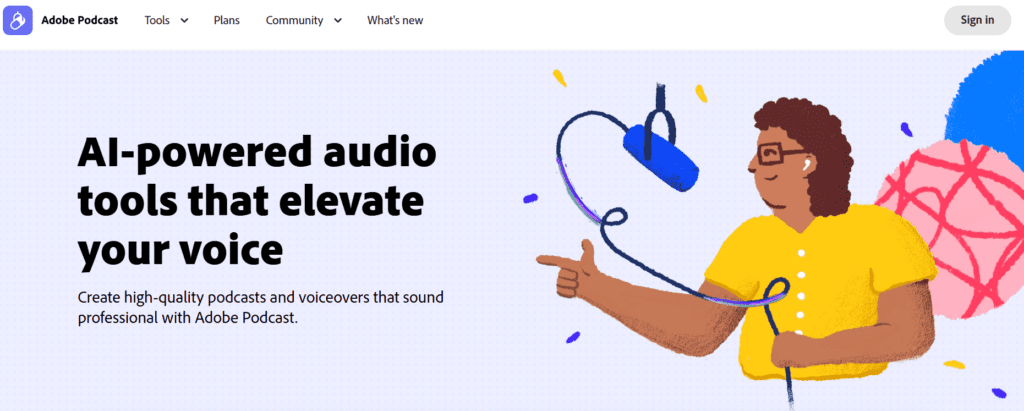
Adobe Podcast | AI audio recording and editing, all on the web

Adobe Podcast AI Verdict

Adobe Podcast AI delivers strong utility for podcasters and creators who need clean voice recordings without advanced audio engineering. The pricing is justified for users producing regular content who require higher processing limits and batch workflows. It suits podcasters, video creators, and marketers. It is less suitable for music production or users needing detailed multitrack editing control.

What Is Adobe Podcast AI?

Adobe Podcast AI is a web-based audio recording and enhancement platform designed for speech-focused content such as podcasts, voiceovers, and interviews. It includes tools for recording, editing, transcription, and audio cleanup within a browser-based interface.
The platform uses machine learning models to process speech and remove background noise, echo, and distortion. Its Enhance Speech feature analyzes audio and reconstructs voice clarity to simulate studio-quality recordings, even from low-quality inputs.
In professional workflows, Adobe Podcast acts as a post-production and recording layer for spoken content. Creators use it to clean audio, generate transcripts, and edit recordings using text-based editing tools. It reduces the need for external audio software and speeds up podcast production cycles.

Review Summary

  • Performance Score A
  • Content Quality Produces clear speech output with reduced noise and improved vocal consistency
  • Interface Browser-based interface with simple controls and minimal setup requirements
  • Ai Technology Machine learning, speech enhancement models, transcription AI
  • Purpose Clean, enhance, and edit spoken audio recordings for podcasts and voice content
  • Compatibility Web-based platform, works on modern browsers, integrates with Adobe ecosystem tools
  • Pricing Summary Freemium model with a free plan and a $9.99/month premium tier unlocking higher limits and features

Adobe Podcast AI Key Features

  • 1

    AI speech enhancement

  • 2

    Background noise removal

  • 3

    AI transcription and text-based editing

  • 4

    Remote podcast recording studio

  • 5

    Mic quality analysis tool

  • 6

    Audiogram and caption generation

  • 7

    Bulk audio processing

Who Should Use Adobe Podcast AI?

Is Adobe Podcast AI Worth It?

Adobe Podcast AI offers a free starting point, while paid plans may make sense for heavier or team-based use.

Pros And Cons

Pros

  • Improves poor-quality audio recordings effectively
  • Easy to use without audio engineering knowledge
  • Free plan available for basic usage
  • Integrated recording and editing workflow

Cons

  • Limited control compared to professional DAWs
  • Free plan has strict usage limits
  • Not suitable for music production
  • Requires internet for processing

Adobe Podcast AI Pricing

Free

$0/month

  • 1 hour daily enhancement
  • 30-minute file limit
  • basic features

Premium Plan

$9.99/month

  • 4 hours daily enhancement,
  • bulk upload, video support,
  • advanced controls

Frequently Asked Questions