Editorial note: ratings and verdicts on this page are internal editorial assessments, not third-party user review averages.
Video Studio AI Verdict
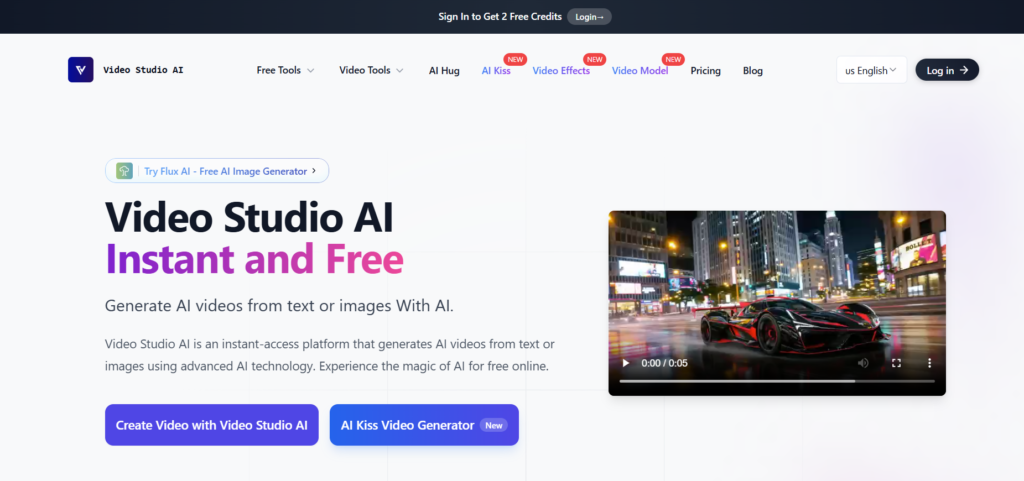
Video Studio AI is a web-based AI video generation tool that turns static photos and text prompts into animated videos. After testing the tools, our experts found that Video Studio AI has capabilities to produce high-quality videos without a learning curve. After signing in, new users can get 2 free credits to test the tool. The monthly paid plans are available to get more credits and advanced features.
What Is Video Studio AI?
Video Studio AI is the tool that turns images or text prompts into high-quality animated videos within a few clicks. The tool is built on the AI video models that understand visual content and natural language. These models help the AI to create realistic expressions and natural animations.
Video Studio AI maintains character integrity and delivers engaging output with minimal input efforts. Users upload the content, and the tool makes video creation effortless. It is effective for creators, marketers, and users to generate professional videos without complex editing skills.
Review Summary
Performance ScoreA+
Content QualityGenerate realistic animated videos with natural motion and visuals.
InterfaceWeb-based and beginner-friendly interface.
Ai TechnologyBuild on generative AI video models for lifelike animation.
PurposeConvert static images or text prompts into engaging AI-generated videos.
CompatibilityWorks on all modern browsers.
Pricing SummaryCredit-based monthly plans starting from low-cost tiers.
Video Studio AI Key Features
1
Image & text to video generation
2
Realistic motion and animation
3
Fast AI video processing
4
Easy, beginner-friendly interface
5
Multiple AI video models
6
Downloadable high-quality videos
7
Credit-based pricing system
8
Audio Optimization and Enhancement
9
Advanced Visual Effects and Filters
Who Should Use Video Studio AI?
Video Studio AI is the tool that turns images or text prompts into high-quality animated videos within a few clicks.
Is Video Studio AI Worth It?
Video Studio AI is a free tool, so the main question is whether its output quality and workflow match your needs.
Pros And Cons
Pros
Beginner-friendly interface without a learning curve.
Generates high-quality animated videos with fast processing.
Offers outputs from images and text prompts.
Realistic facial animation and motion.
Affordable credit-based pricing.
Cons
Credit-based system is limited for heavy users.
No desktop app available.
No refund policy is available.
Requires an internet connection to operate smoothly.
Larger projects use more credits.
Video Studio AI Pricing
Hobby
$11.9/month
20 credits per month
20 generations per month
20 fast generations per month
High-quality Video Studio AI videos
Basic
$16.9.month
60 credits per month
60 generations per month
60 fast generations per month
High-quality Video Studio AI video
Pro
$22.9/month
100 credits per month
100 generations per month
High-quality Video Studio AI videos
Max
$26.9/month
150 credits per month
150 generations per month
150 fast generations per month
High-quality Video Studio AI video
Frequently Asked Questions
Video Studio AI is ideal for creating videos for social media platforms.
Yes, after signing in, users can get the 2 free credits for testing the platform's basic features.
No, Video Studio AI does not offer refunds due to the significant resources required for video processing.
Video length limitation is not mentioned. However, longer videos exhaust credits faster.