

Wandpen
What is Wandpen?
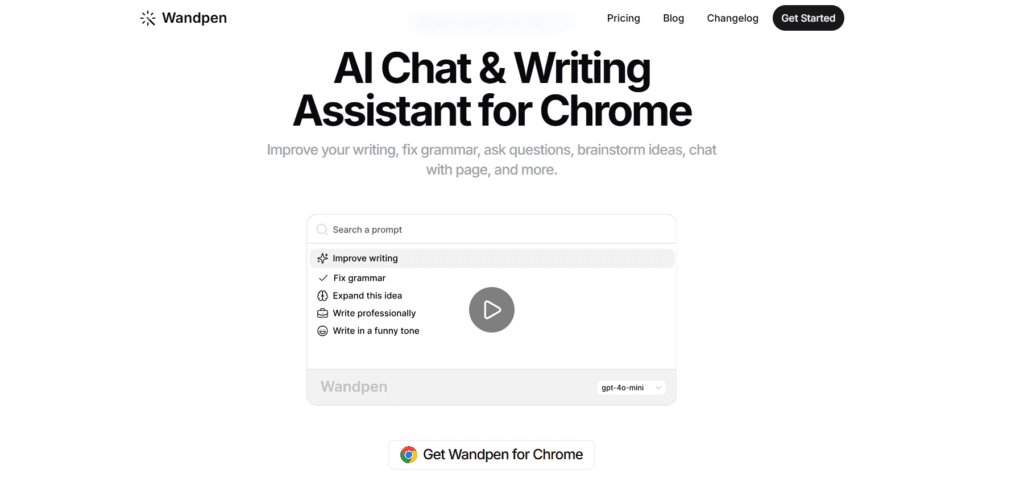
Wandpen AI is an AI writing assistant that helps users improve their writing directly in any text field without switching apps. It helps you fix grammar, rewrite sentences, translate text, and chat with AI while you write, offering a smooth workflow. The platform is based on Gemini Nano (local), GPT-5. x series, Claude Sonnet variants, and Gemini Pro. These give context-aware suggestions and creative outputs. Wandpen’s abilities include real-time grammar fixes, tone enhancements, brainstorming support, and live voice-to-text transcription. Its functionality is ideal for writers, content creators, professionals, and students who want seamless AI help on emails, articles, or social media.
Review Summary
| Performance Score | A |
| Content Quality | Good-quality edits, especially on Pro models with more context. |
| Interface | Clean, lightweight, very distraction-free experience. |
| Ai Technology | Multiple models: Gemini, GPT-5.2, Claude — flexible and powerful. |
| Purpose | Instant writing improvement and AI assistance inside the browser. |
| Compatibility | Works on Chrome across text fields, Gmail, Docs, and social platforms. |
| Pricing Summary | Offers freemium with free and paid plans. |
Wandpen Key Features
| 1 | Works anywhere you write |
| 2 | Real-time grammar, style, rewrite, translation, and expansion |
| 3 | Chat with the page content |
| 4 | Research where you write |
| 5 | Voice-to-text transcription locally |
| 6 | Multiple AI models and custom prompts |
Who is Best for Using Wandpen?
Wandpen AI is an AI writing assistant that helps users improve their writing directly in any text field without switching apps.
Is Wandpen Free?
Wandpen offers a free plan with limited features. Paid plans start at Starting from $10/month
Pros & Cons
Pros
- Works directly within web writing environments.
- Free unlimited local AI writing via Gemini Nano.
- Clean, distraction-free interface.
- Multiple powerful AI model options.
- Voice transcription and custom prompts.
Cons
- Some advanced features require Pro or BYOK.
- Quality depends on the chosen AI model.
- Only Chrome extension (no native desktop app).
- Occasional UI or trigger issues in some text fields.
- Free credits for cloud models can be limiting.



