

Notta ⭐ Verified
△
812
💬
115
What is Notta?
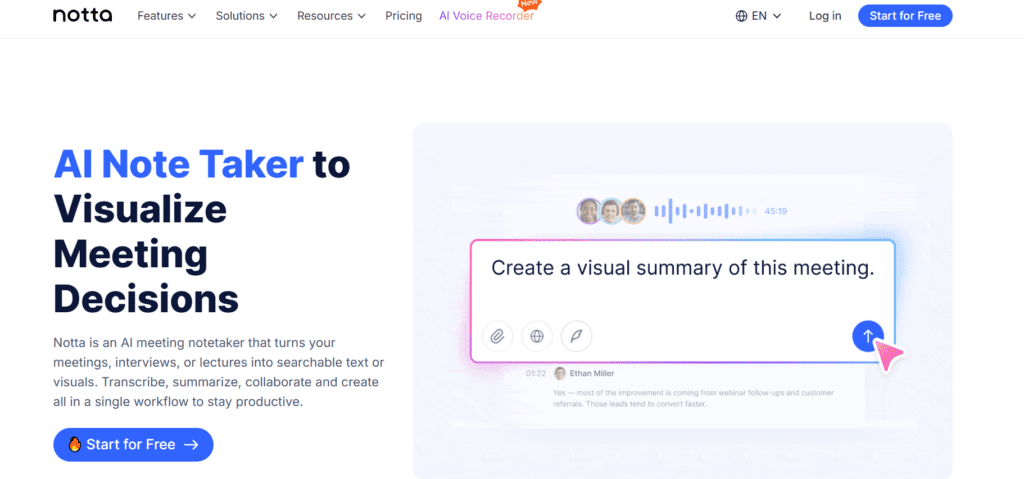
Notta is an AI-powered platform that helps users transcribe, summarize, and organize conversations into searchable notes. Users can ideally convert meetings, interviews, and recordings into structured text. Notta AI is built on advanced speech recognition and natural language processing AI models combined with transcription intelligence. The AI platform specializes in speech understanding and contextual summarization. The tool transforms conversations into actionable insights, making it ideal for professionals, students, and content creators.
Review Summary
| Performance Score | A |
| Content Quality | Produces structured summaries with clear action items |
| Interface | Clean, intuitive dashboard suitable for beginners |
| Ai Technology | Advanced speech recognition with AI summarization |
| Purpose | Automates meeting notes and transcription workflows |
| Compatibility | Works across web, mobile apps, and conferencing platforms |
| Pricing Summary | Flexible freemium model with scalable business plans |
Notta Key Features
| 1 | Real-time meeting transcription |
| 2 | AI-powered meeting summaries |
| 3 | Speaker identification |
| 4 | Multilingual transcription |
| 5 | Live translation and bilingual transcription |
| 6 | Meeting bot for Zoom, Google Meet, Teams & Webex |
| 7 | Collaboration and sharing tools |
| 8 | AI insights and searchable transcripts |
Who is Best for Using Notta?
Notta is an AI-powered platform that helps users transcribe, summarize, and organize conversations into searchable notes.
Is Notta Free?
Notta offers a free plan with limited features.
Pros & Cons
Pros
- The tool offers highly accurate real-time transcription
- Supports multiple languages and translation
- Automatic AI summaries save documentation time
- Easy-to-use interface for beginners
- Strong integrations with meeting platforms
Cons
- Free plan limits recording length per conversation
- Requires an internet connection for transcription
- Some accuracy drops with heavy background noise
- Advanced collaboration features limited vs enterprise tools
- The mobile app has fewer features than the web version
Notta Pricing
Please update this pricing section to text.
FAQs
What does Notta AI do? ▼
Notta AI transcribes meetings, recordings, and conversations into searchable text and AI-generated summaries.
Does Notta AI support live meeting transcription? ▼
Yes, Notta AI transcribes live meetings in real time across Zoom, Google Meet, Microsoft Teams, and Webex.
How many languages does Notta AI support? ▼
Notta supports transcription in 58 languages along with translation features.
Is there a free version of Notta AI? ▼
Yes, Notta AI offers a free plan with limited monthly transcription minutes.
Who should use Notta AI? ▼
It is best suited for professionals, students, journalists, researchers, and teams needing automated meeting documentation and summaries.



