

Squibler ⭐ Verified
What is Squibler?
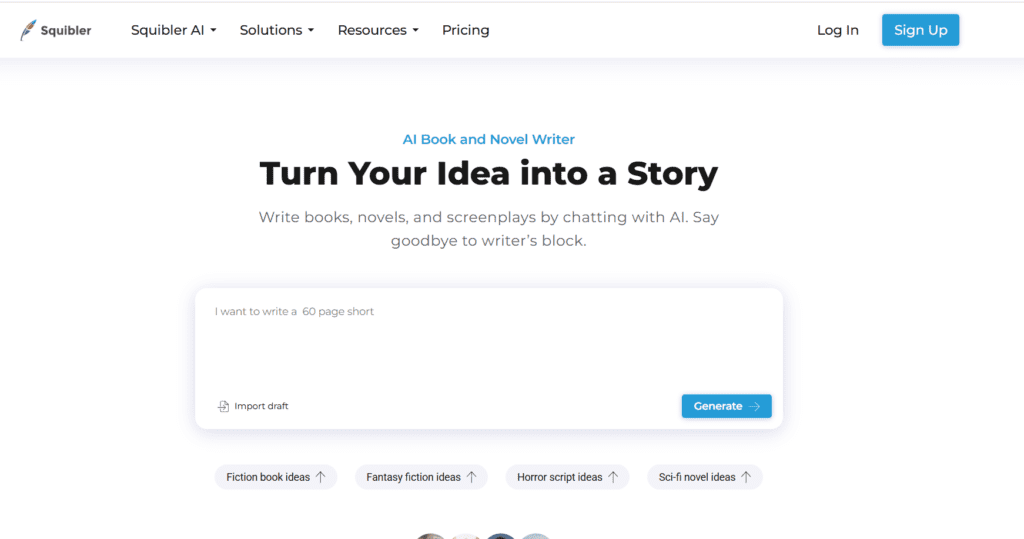
Squibler AI is a writing platform that helps authors, novelists, and screenwriters to create manuscripts, outlines, and scripts while managing projects seamlessly. The platform operates on advanced AI models that understand context, structure, and narrative flow. The AI capabilities enable the tool to suggest ideas, plot points, and story elements while maintaining a consistent tone. Squibler AI stands out for its unlimited AI manuscript generation, text-to-image visuals, and collaborative features. Squibler AI is ideal for creating books, novels, scripts, and other narrative content.
Review Summary
| Performance Score | A |
| Content Quality | Generates coherent, contextually accurate, and engaging content. |
| Interface | Clean, intuitive, and easy-to-navigate interface. |
| Ai Technology | Advanced AI models for manuscript, outline, and script generation. |
| Purpose | Designed for authors, screenwriters, and content creators. |
| Compatibility | Supports PDF, Word, Text, and Kindle exports. |
| Pricing Summary | Offers Free and Pro monthly subscription plans with unlimited AI features. |
Squibler Key Features
| 1 | AI Manuscript Generation |
| 2 | AI Outline Generation |
| 3 | Smart context-aware writing assistance |
| 4 | Text-to-image generation |
| 5 | Project and collaboration management |
| 6 | Templates for books, screenplays, and characters |
Who is Best for Using Squibler?
Squibler AI is a writing platform that helps authors, novelists, and screenwriters to create manuscripts, outlines, and scripts while managing projects seamlessly.
Is Squibler Free?
Squibler offers a free plan with limited features. Paid plans start at $29/month
Pros & Cons
Pros
- Unlimited AI manuscript and outline generation
- Intuitive and easy-to-use interface
- Collaboration features for team editing
- Multi-format export (PDF, Word, Kindle)
- Smart writer and text-to-image AI features
Cons
- The free plan has a limited AI word count
- No monthly pause option for subscription
- Advanced AI features are only in the Pro plan
- May require a learning curve for beginners
- Some features, like physical copy delivery, are Pro-only



