
Vidify ⭐ Verified

What is Vidify?
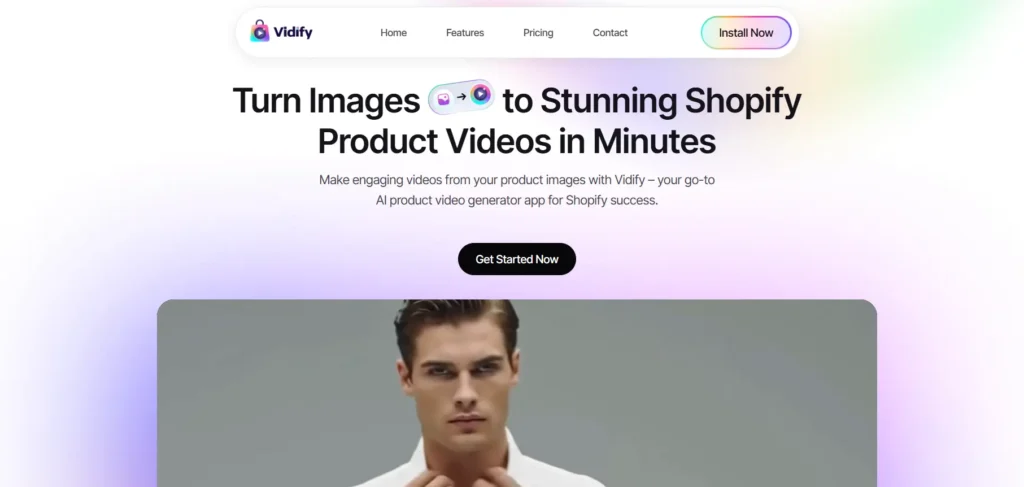
Vidify AI turns product images into short, engaging videos in a few clicks. The tool is based on the advanced image-to-video AI models that interpret photos into dynamic visuals through text prompts. Vidify AI stands out from the other competitors by creating custom motion. The AI adds movements, transitions, brand styling, and produces scroll-stopping videos. The tool is suitable for fast and short video generation for product pages and social media. Vidify AI is ideal for e-commerce businesses to boost engagement and social media presence without hiring designers or editors.
Review Summary
| Performance Score | A |
| Content Quality | Generate the engaging short product videos optimized for eCommerce. |
| Interface | Beginner-friendly interface with minimal setup. |
| Ai Technology | Use AI models that animate static product images into visual interpretation. |
| Purpose | Increase product engagement through quick AI-generated videos. |
| Compatibility | Fully web-based platform. |
| Pricing Summary | Free plan available, paid plan starting from $20/month. |
Vidify Key Features
| 1 | AI-Power Video Generation |
| 2 | Prompt-Based Customization |
| 3 | Shopify Integration |
| 4 | Quick Turnaround |
| 5 | Social Media Use |
| 6 | Cloud-Based Editing for Team Collaboration |
Who is Best for Using Vidify?
Vidify is an AI video generator tool that turns product images into short, engaging videos in a few clicks.
Is Vidify Free?
Vidify offers a free plan with limited features. Paid plans start at Starting from $20/month
Pros & Cons
Pros
- Create a static image into an engaging short video.
- Suitable for the Shopify eCommerce stores.
- No technical editing expertise required to operate the tool.
- No software installation required, complete browser-based setup.
- Saves time and the hiring costs of video editors.
Cons
- Vidify AI is not a perfect match for long-form content generation.
- No advanced or manual editing control is available.
- Offers limited control over the animation direction and transitions.
- UI feedback feels unclear during video processing.
- The quality depends on the product image.