

Snappify ⭐ Verified
What is Snappify?
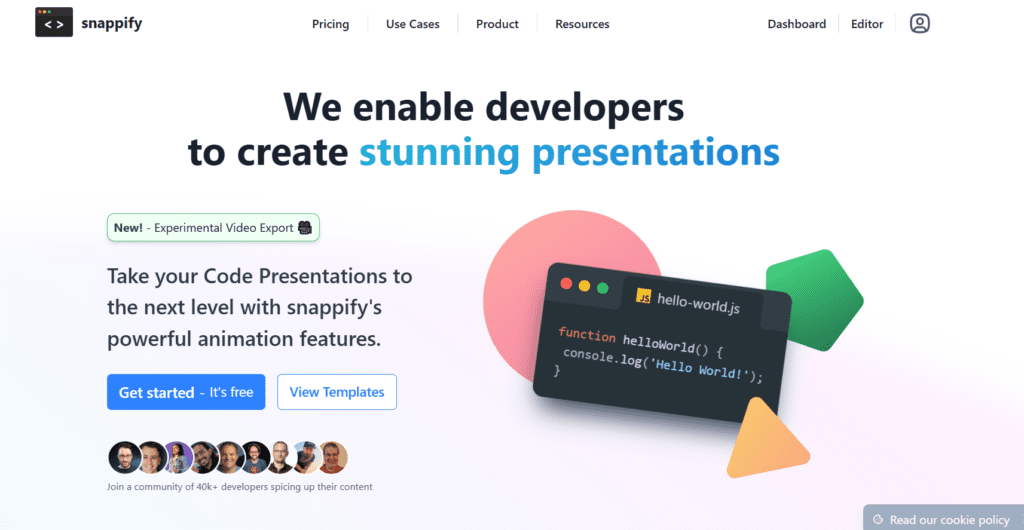
Snappify is a code screenshot generator that helps developers create clean, styled visuals of code snippets for sharing and presentation. Users paste code; the tool instantly formats it, applying themes, layouts, and styles. It serves for sharing code snippets, creating developer content, building tutorials, and posting on social media. Snappify emphasizes visual clarity, enhancing code appearance, not functionality. Snappify works as a design tool for developers. It turns code into visual content and helps communicate ideas better.
Review Summary
| Performance Score | A+ |
| Content Quality | High |
| Interface | User-Friendly |
| Ai Technology | syntax highlighting engines, code rendering systems, layout and design engines, theme customization logic, export optimization tools |
| Purpose | developers and programmers, code snippet sharing, technical content creation, social media posts, coding tutorials |
| Compatibility | Windows, macOS, Linux, Mobile browsers |
| Pricing Summary | Free tier + Subscription Plans |
Snappify Key Features
| 1 | Code Screenshot Generator |
| 2 | Syntax Highlighting |
| 3 | Custom Themes |
| 4 | Background Styling |
| 5 | Code Presentation Layouts |
| 6 | Export Options |
| 7 | Responsive Design |
| 8 | Minimal Interface |
| 9 | Social Media Ready |
| 10 | Developer-Focused Tool |
| 11 | Custom Branding |
| 12 | Real-Time Preview |
Who is Best for Using Snappify?
Snappify review covering code screenshot generator features, developer tools, visuals, pricing, and how to share code beautifully online.
Is Snappify Free?
Snappify offers a free plan with limited features. Paid plans start at $5/Month
Pros & Cons
Pros
- Creates beautiful and professional code visuals instantly.
- Very easy to use with fast results.
- Ideal for developers and content creators.
- High-quality export and sharing options.
Cons
- Not an AI coding or debugging tool.
- Limited functionality beyond code visualization.
- Advanced customization requires a paid plan.



