

Scan My Kitchen
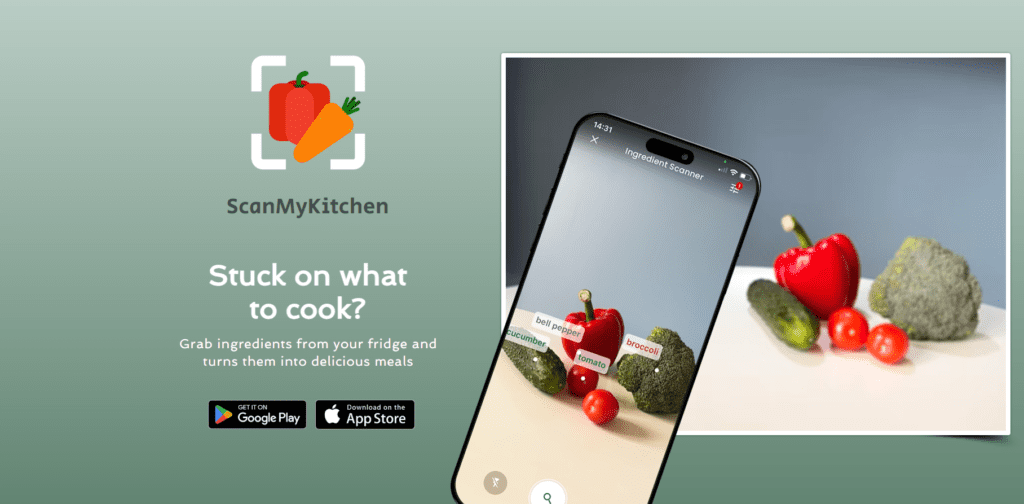
What is Scan My Kitchen?
Scan My Kitchen is an AI-powered mobile app designed to help users discover what they can cook with ingredients already in their kitchen. The app works without sign-ups; you just open it, input ingredients, and get suggestions instantly. It platform based on AI models to generate recipe suggestions based on the ingredients you select or scan. This blend of traditional recipe data and AI-generated meal ideas helps it stand out from basic recipe apps that only show static results. The tool is helpful for home cooks to save money, minimise waste, and experiment with new meals.
Review Summary
| Performance Score | B+ |
| Content Quality | High variety of suggestions; includes traditional and creative ideas. |
| Interface | Clean, intuitive mobile interface suitable for all users. |
| Ai Technology | Uses AI to tailor recipes based on selected ingredients. |
| Purpose | Designed to reduce food waste & inspire meal creation. |
| Compatibility | Works on iOS and Android devices. |
| Pricing Summary | Free version available; premium unlocks ad-free experience from $1.59/mo. |
Scan My Kitchen Key Features
| 1 | Ingredient tile selection |
| 2 | AI-generated recipe suggestions. |
| 3 | Customizable dietary |
| 4 | Meal-type filters. |
| 5 | Camera scanning feature (beta) |
| 6 | Alternative recipes |
| 7 | Tutorial access |
Who is Best for Using Scan My Kitchen?
Scan My Kitchen is an AI-powered mobile app designed to help users discover what they can cook with ingredients already in their kitchen
Is Scan My Kitchen Free?
Scan My Kitchen offers a free plan with limited features. Paid plans start at $0.79/month
Pros & Cons
Pros
- Generates meal ideas from available ingredients.
- Custom diet filters for tailored suggestions.
- Clean and easy-to-use mobile interface.
- Helps reduce food waste and saves money.
- Free version available with optional upgrade.
Cons
- The camera scanning feature is still in beta.
- Limited to up to five ingredients at a time.
- Lacks a detailed nutritional breakdown.
- Requires an internet connection for AI features.
- Pricing details require checking the app stores.



