

Adobe Firefly AI ⭐ Verified
What is Adobe Firefly AI?
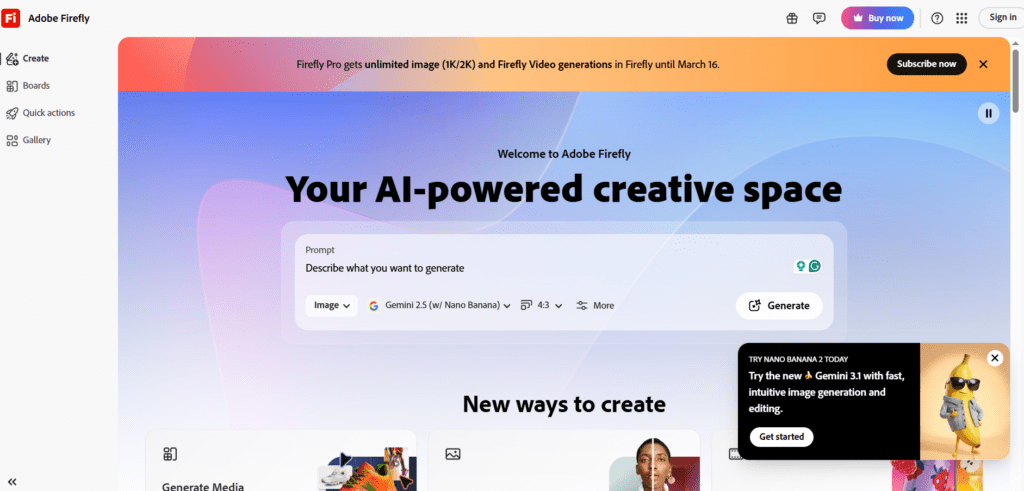
Adobe Firefly is an AI-enhanced creative suite that brings generative motion and visual content creation into Adobe’s broader Creative Cloud ecosystem. It uses NLP to interpret prompts like “animate this title with smooth kinetic energy” or “add cinematic motion to this still image,” and converts them into animated or motion visuals that can be refined in Premiere Pro, After Effects, or Photoshop. Rather than functioning as a standalone AI video generator, Firefly’s strength is its deep integration with traditional editing software. Ideal for professionals needing AI-assisted motion elements that are instantly editable and compatible with existing workflows. Moreover, Firefly’s AI features include text-guided motion generation, image motion effects, prebuilt animated templates, and style presets that help creators bridge the gap between concept and final output without leaving their primary workspace.
Review Summary
| Performance Score | A |
| Content Quality | High |
| Interface | User-Friendly |
| Ai Technology | NLP video/motion prompting and generative effects |
| Purpose | Motion designers, video editors, social content creators |
| Compatibility | Browser + Adobe Creative Cloud apps |
| Pricing Summary | Subscription plans |
Adobe Firefly AI Key Features
| 1 | AI Text-to-Motion Video Prompts |
| 2 | AI Image Motion Effects |
| 3 | Prebuilt Motion Templates |
| 4 | Creative Cloud Integration |
| 5 | Prompt-Guided Animation |
| 6 | Cinematic Visual Presets |
| 7 | Style Controls |
| 8 | Export Options |
| 9 | Refinement Tools |
| 10 | Iteration Support |
Who is Best for Using Adobe Firefly AI?
Adobe Firefly’s AI tools integrate prompt-based motion design into Creative Cloud, streamlining the creation of short clips and visual effects.
Is Adobe Firefly AI Free?
Adobe Firefly AI is a paid tool. Pricing starts at $9.99/Month
Pros & Cons
Pros
- Seamless integration with Creative Cloud apps
- Natural language simplifies motion design
- Jumpstarts creative phases
- Combines AI with traditional editing
- Helpful for common motion tasks and output formats
Cons
- Limited standalone video capability compared to specialized tools
- Less cinematic refinement than dedicated AI video generators
- Creative Cloud pricing can feel expensive
- Motion tools are expanding but not fully mature



