
Artbreeder ⭐ Verified
What is Artbreeder?
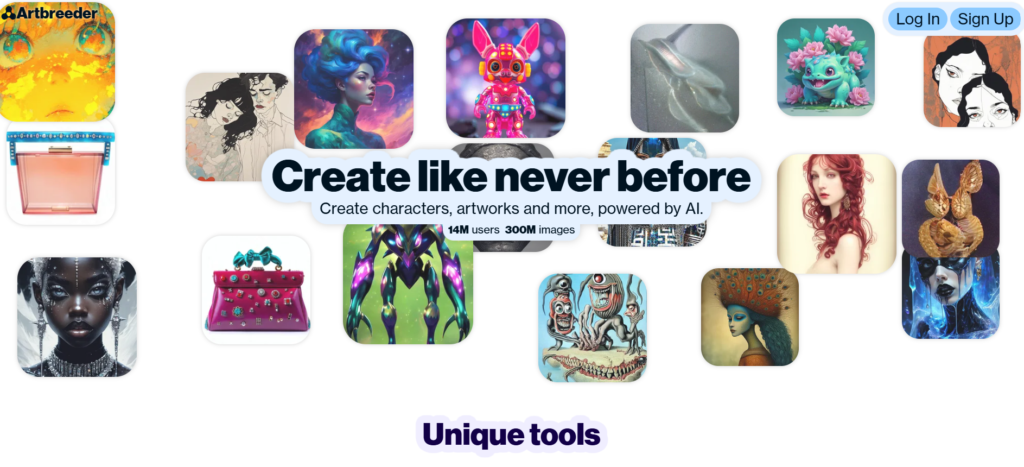
Artbreeder AI is the image generation and creative editing platform that creates, evolves, and remixes digital artwork using visual controls instead of complex prompts. It allows users to blend images, adjust artistic traits, and generate unique characters. The platform works on Generative Adversarial Networks (GANs) such as StyleGAN and related models. These models learn visual patterns and allow images to evolve through genetic sliders and image breeding. Artbreeder’s abilities include character creation, artistic experimentation, collaborative remixing, and high-resolution image generation through Composer and Splicer tools. The platform stands out for controlled creativity and is best suited for artists, designers, writers, and creative hobbyists exploring visual concepts.
Review Summary
| Performance Score | A |
| Content Quality | Produces stylistically consistent visuals with strong creative variation. |
| Interface | Slider-based interface simplifies complex AI image editing. |
| Ai Technology | Uses GAN-based image evolution instead of prompt-only generation. |
| Purpose | Designed for creative exploration, character design, and concept art. |
| Compatibility | Fully web-based and accessible across modern browsers. |
| Pricing Summary | Offers monthly plans starting at $8.99/month. |
Artbreeder Key Features
| 1 | AI image breeding and genetic blending system |
| 2 | Gene sliders for facial and artistic attributes |
| 3 | Portrait, anime, landscape, and abstract generators |
| 4 | Composer tool for structured image creation |
| 5 | Splicer for combining multiple images |
| 6 | Community remix and lineage tracking |
Who is Best for Using Artbreeder?
Artbreeder AI is the image generation and creative editing platform that creates, evolves, and remixes digital artwork using visual controls instead of complex prompts.
Is Artbreeder Free?
Artbreeder is a paid tool. Pricing starts at $8.99/month
Pros & Cons
Pros
- Unique genetic editing system offers precise creative control.
- Beginner-friendly interface with visual sliders.
- Strong community collaboration and remix features.
- Excellent for character and concept art workflows.
- Flexible monthly pricing suitable for different creator levels.
Cons
- The credit system may confuse first-time users.
- Requires experimentation to achieve the best results.
- Less suitable for prompt-heavy AI workflows.
- Limited beyond image-based creation.
- Advanced features require higher-tier plans.