
Recraft ⭐ Verified
What is Recraft?
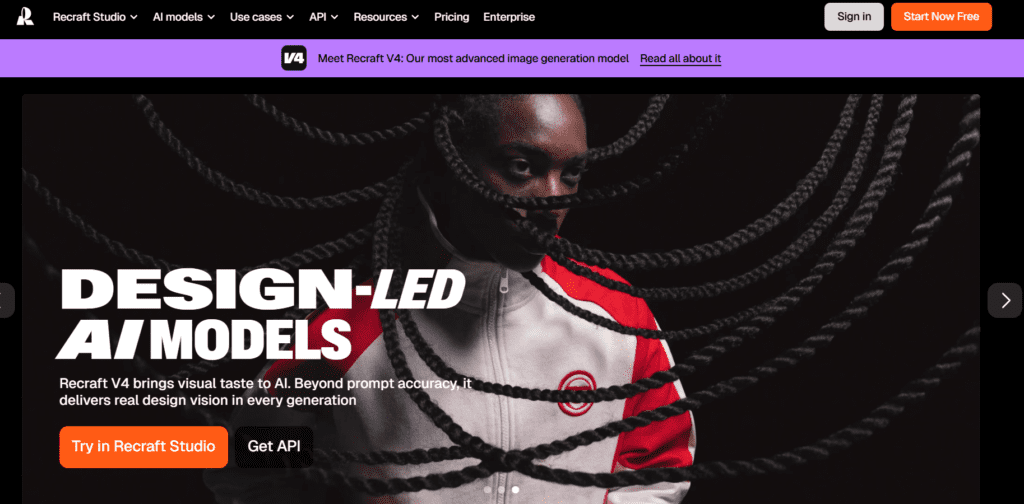
Recraft AI is an AI-powered graphic design platform that allows users to generate vector graphics, logos, and digital illustrations using generative artificial intelligence. The platform transforms text prompts into professional-quality visuals, enabling creators to produce scalable design assets without complex manual illustration work. Unlike many AI image generators that focus only on raster images, Recraft specializes in AI-generated vector graphics that can be resized and edited without losing quality. This capability makes the platform especially useful for logo design, brand identity assets, marketing graphics, and digital illustrations. Recraft works as a creative AI design studio for designers, marketers, startups, and content creators. By combining generative AI models with vector editing tools, the platform enables users to create unique graphics, modify styles, and export professional design files quickly. As a result, Recraft has become a popular solution for AI logo generation, vector illustration creation, and automated design workflows.
Review Summary
| Performance Score | A+ |
| Content Quality | High |
| Interface | User-Friendly |
| Ai Technology | generative AI image models, text-to-vector generation algorithms, AI logo generation engine, style transfer and creative filters, vector graphics rendering technology, automated design layout optimization |
| Purpose | AI logo generation, vector illustration creation, brand identity design, marketing graphics production, creative concept art, digital illustration generation, scalable design asset creation |
| Compatibility | Windows, macOS, Linux, iOS, Android |
| Pricing Summary | Free tier with Subscription Plans + API Plans |
Recraft Key Features
| 1 | AI Vector Generator |
| 2 | AI Logo Generator |
| 3 | Text-to-Image Generation |
| 4 | Vector Editing Tools |
| 5 | Style Customization |
| 6 | Illustration Generator |
| 7 | Brand Asset Creation |
| 8 | AI Style Libraries |
| 9 | Image Upscaling |
| 10 | Batch Design Generation |
| 11 | Creative Prompt Tools |
| 12 | Export Options |
Who is Best for Using Recraft?
Recraft AI review covering vector generation, AI logo design, image creation tools, features, pricing, and creative workflows.
Is Recraft Free?
Recraft offers a free plan with limited features. Paid plans start at $12/Month
Pros & Cons
Pros
- Generates scalable vector graphics using AI prompts.
- Ideal for logo design and branding assets.
- Provides creative flexibility through multiple design styles.
- Cloud-based platform accessible from any device.
Cons
- Free plans provide limited generation credits.
- Advanced customization may require premium plans.
- Complex designs may require additional manual editing.