

Spellbook ⭐ Verified
What is Spellbook?
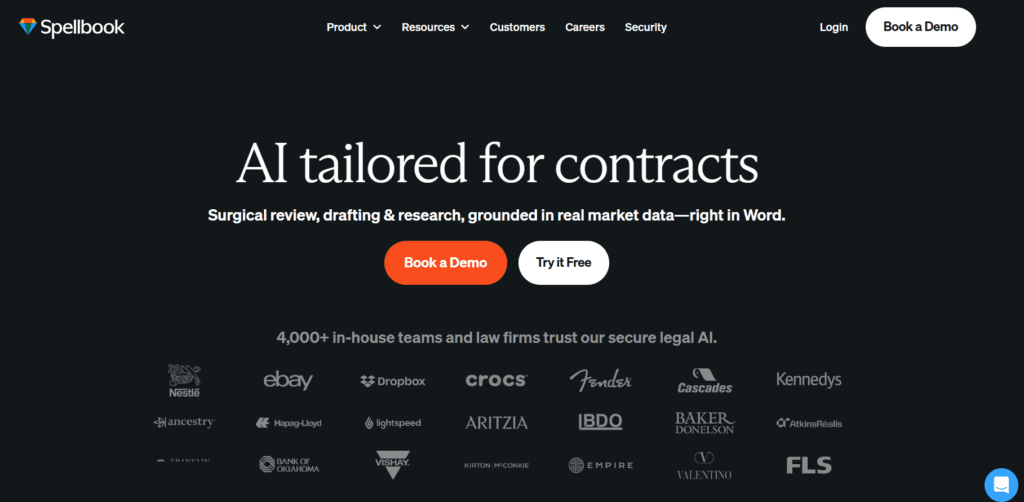
Spellbook AI is a drafting and contract review assistant that helps legal professionals to analyse, edit, and generate documents inside Microsoft Word. The tool primarily focuses on improving legal productivity with automation and intelligent drafting support. The platform is based on the advanced large language models that are optimised for legal reasoning and contract analysis. This AI system understands legal structure, clause intent, and negotiation patterns and helps the tool to deliver context-aware suggestions. Spellbook AI is the best tool for solo lawyers, law firms, and legal teams seeking faster document turnaround.
Review Summary
| Performance Score | A |
| Content Quality | Produces structured, legally coherent clauses aligned with professional standards. |
| Interface | Seamlessly integrates into Microsoft Word for a familiar workflow experience. |
| Ai Technology | Uses advanced legal-focused language models optimised for contract intelligence. |
| Purpose | Designed specifically for legal drafting, review, and negotiation workflows. |
| Compatibility | Works within Word Add-In and integrates with major cloud storage platforms. |
| Pricing Summary | Offers a premium subscription with a free trial. |
Spellbook Key Features
| 1 | AI contract drafting and clause generation |
| 2 | Automated contract review |
| 3 | Assistance in Negotiation and redlining |
| 4 | Contract comparison with market benchmarks |
| 5 | Workflow automation with playbooks |
| 6 | Cloud storage integrations (Google Drive, Dropbox, OneDrive) |
Who is Best for Using Spellbook?
Spellbook AI is a drafting and contract review assistant that helps legal professionals to analyse, edit, and generate documents inside Microsoft Word.
Is Spellbook Free?
Spellbook is a paid tool. Pricing starts at $499/month
Pros & Cons
Pros
- Built specifically for legal professionals.
- Deep Microsoft Word integration improves workflow efficiency.
- High-quality legal drafting and clause suggestions.
- Strong privacy with a zero data retention policy.
- Powerful collaboration and enterprise compliance features.
Cons
- High monthly pricing for individual users.
- Limited usefulness outside the legal industry.
- Requires familiarity with legal workflows.
- No clearly advertised free trial.
- Works best within the Microsoft Word environment only.



