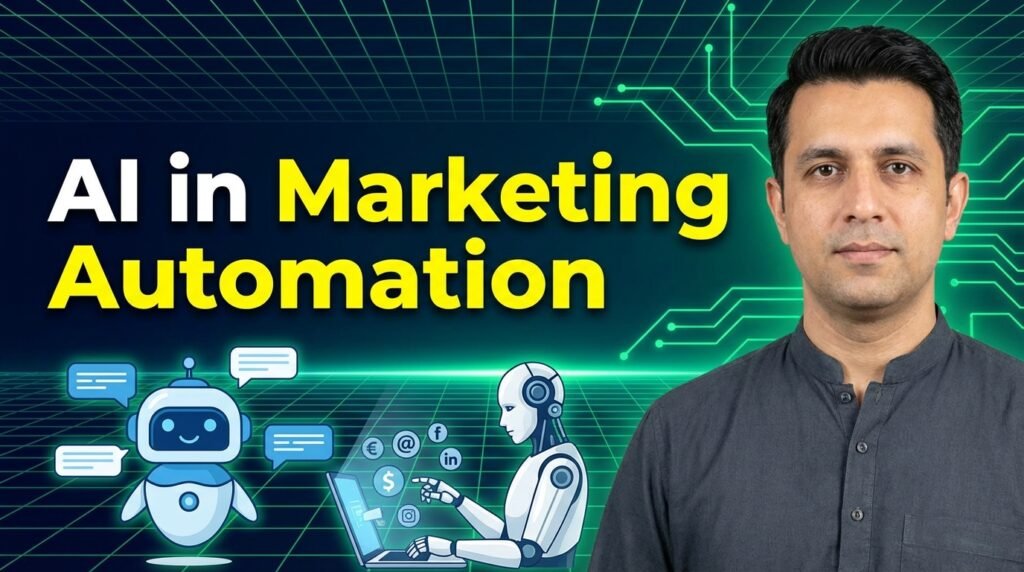
AI in marketing automation is the use of artificial intelligence to automate, optimise, and personalise marketing activities. It works across email, ads, content, and customer journeys in real time. AI helps marketing teams make faster data-driven decisions, improve customer experience, and run campaigns at scale without increasing manual work.
If your campaigns feel slow, generic, or hard to scale, it’s a system problem. Most marketing teams are still working with tools that can’t react to customer behavior in real time.
AI changes that. It watches, learns, and adjusts while campaigns are running. That’s why founders, growth teams, and agencies are turning to AI to fix speed, personalisation, and performance gaps, without hiring more people.
This guide shows what AI actually does in marketing automation, what it doesn’t, and how to use it safely.
What Is AI in Marketing Automation?
AI in marketing automation uses machine learning to automate and improve marketing tasks in real time. Rather than relying on fixed rules, AI learns from customer behaviour and automatically adapts messages, timing, and channels.
For example, AI can identify when a customer is most likely to engage and deliver content precisely at that moment. Additionally, it can modify campaigns in real-time, rather than weeks later.
The benefit is clear: better results with less manual work.The limit is also clear: AI depends on clean data and still needs human oversight to protect brand voice and accuracy. Under the hood, these systems use the same core AI technologies that are transforming analytics, software, and customer-facing products across industries.
How Is AI Used in Marketing Automation?
AI is used in marketing automation to analyze customer behavior and adjust campaigns in real time without manual effort.
In practical terms, AI takes over repetitive decisions that slow marketing teams down. Most business and growth teams now plug AI tools directly into their CRMs and ad accounts so these everyday decisions happen automatically. Instead of guessing when to send emails or which ad to scale, the system learns from live data and acts instantly. This helps teams run smarter campaigns without increasing workload.
The following are the ways in which AI supports everyday marketing campaigns:
| Marketing Task | AI Use | Outcome |
| Email timing | Predictive send | Higher open rates |
| Ad bidding | Real-time optimization | Lower CPA |
| Segmentation | Behavior clustering | Better targeting |
| Content | AI-assisted generation | Faster production |
| Lead scoring | Predictive analytics | Higher conversion |
| Support | Chatbots & routing | Faster response |
Examples from live workflows
Email timing:
AI learns when each person usually opens emails and sends messages at that moment. It does not need a fixed schedule.
Ad optimization:
If an ad underperforms, AI lowers spend and reallocates budget to better-performing audiences automatically.
Lead prioritization:
AI score leads based on behavior, so sales teams focus on people most likely to convert.
AI removes delay, reduces analysis time, and lets marketers focus on strategy instead of fixes.
What Are the Main Applications of AI in Marketing Automation?
AI is applied in marketing automation to personalize content, optimize campaigns, connect customer journeys, and automate engagement at scale.
The following are the core areas where AI delivers measurable results:
How AI Personalizes Content at Scale
AI customizes messages according to browsing history, clicks, and past purchases. Its motive is that each user receives content aligned with their intent instead of generic broadcasts.
How AI Optimizes Campaigns Automatically
AI constantly monitors performance and automatically adjusts bids, budgets, and targeting, saving time for teams to build a more powerful strategy.
How AI Connects Customer Journeys
AI integrates email, ads, website actions, and purchases into a unified flow, ensuring consistent messaging across all channels.
How AI Drives Product Recommendations
AI recommends products based on behavior patterns and comparable user data to boost relevance and conversion.
How AI Automates Customer Service
Chatbots manage simple inquiries and pass complicated problems to human agents, enhancing efficiency while maintaining trust. These bots often sync with CRM tools like Acvire.
How AI Manages Social Media Workflows
AI schedules posts, predicts engagement, and suggests content timing, helping teams stay consistent without manual tracking.
How Does AI Improve Customer Experience and Journey Automation?
AI improves customer experience by connecting data across the customer journey and responding to each action in real time with relevant, timely interactions.
Instead of treating customers as segments, AI treats them as moving journeys. It learns from behavior like the pages visited, emails opened, products viewed, support tickets raised, and uses that data to guide the next step automatically.
Journey mapping with behavior data
AI traces the customer journey using actual actions. It identifies points of hesitation, conversion, and drop-off, then adjusts the journey to reduce friction.
Trigger-based actions
Every meaningful action becomes a trigger. A product view can start a follow-up email. An abandoned cart can launch a reminder. A support request can pause promotions until the issue is solved.
Real-time personalization
AI personalizes messages while the customer is still active. It changes content, timing, and channel based on what the person is doing right now, not what they did last week.
Omnichannel continuity
AI keeps the experience consistent across email, website, ads, and customer service so the conversation never resets. Voice messages can be personalized using AudioStack AI.
Example journey flow:
A customer views a product → AI sends a helpful guide → the customer clicks → AI offers a limited-time incentive → purchase happens → AI triggers onboarding content → support chat is ready if needed.
With AI in marketing automation, you will get a complete workflow with a lot of time saved to build a winning strategy.
How Is AI Marketing Automation Different from Traditional Automation?
AI marketing automation adapts in real time, while traditional automation follows fixed rules that require constant manual updates.
The following comparison will help you in learning the difference:
| Area | Traditional | AI-Powered |
| Segmentation | Static rules | Dynamic behavior |
| Timing | Fixed | Predictive |
| Content | One-size | Personalized |
| Optimization | Manual | Continuous |
| Scale | Limited | Real time |
Traditional systems work only when marketing teams keep adjusting them. AI-powered systems learn on their own and improve with every interaction.
This is why the role of AI in marketing is growing fast. It reduces manual work, increases relevance, and lets marketing teams focus on strategy instead of maintenance.
What Are the Best AI Marketing Automation Tools in 2026?
The best AI marketing automation tools in 2026 are the ones that help you coordinate journeys, improve campaigns automatically, and personalize every interaction. They are known as the AI Agents.
An AI Agent is a more advanced form of an AI Tool that is automated and goal-oriented. You can say that they are your AI teammates for specific marketing tasks.
Not every tool does everything well. That’s why 90% of Marketing Teams now choose tools as per their dedicated AI Agents builder.
In practice, AI marketing automation tools fall into three clear categories:
- Orchestration tools: connect channels and manage customer journeys
- Optimization tools: improve performance using data and learning
- Engagement tools: personalize content, messages, and conversations
The following are the tools marketers use with honest strengths and real limitations:
1. HubSpot Marketing Hub (Orchestration + Optimization)
HubSpot works best when marketing and sales need to share the same brain. It’s not a flashy AI tool. It’s reliable, structured, and predictable, which is exactly what many teams need.
Who it’s for: Growing teams that want one system instead of five
What it solves: Scattered data, disconnected journeys, manual reporting
Best use case: Running email, CRM, ads, and customer journeys from one place
Why teams trust it: HubSpot’s AI works inside a single data model, so predictions and automations stay consistent across channels
Limitation: Costs rise quickly once advanced AI features are unlocked
2. ActiveCampaign (Optimization + Engagement)
ActiveCampaign shines when timing and relevance matter more than volume.
Who it’s for: Small to mid-sized teams that want serious automation power
What it solves: One-size-fits-all campaigns and static funnels
Best use case: Behavior-driven email journeys that adapt as users act
Why teams trust it: Its automation logic is deep but visual, so marketers can build complex flows without developers
Limitation: First-time users need time to learn the logic
3. Klaviyo (Engagement + Personalization)
If your revenue depends on customer actions, Klaviyo feels like an extension of your store
Who it’s for: E-commerce brands that live on customer behavior
What it solves: Generic campaigns and missed purchase signals
Best use case: Product recommendations, abandoned cart flows, lifecycle messages
Why teams trust it: Real-time event tracking is native, not an add-on
Limitation: Less flexible for B2B or long sales cycles.
4. Salesforce Marketing Cloud + Einstein (Enterprise Orchestration)
Salesforce Marketing Cloud is for control, scalability, and accountability.
Who it’s for: Large companies with complex customer data and strict governance
What it solves: Fragmented global journeys and manual segmentation
Best use case: Omnichannel personalization at scale with compliance controls
Why teams trust it: Einstein AI sits directly on Salesforce’s data infrastructure
Limitation: Expensive and heavy to implement
5. Mailchimp (Light Optimization + Engagement)
Mailchimp is simple, and that’s its advantage.
Who it’s for: Small teams, startups, and solo marketers
What it solves: Basic automation without complexity
Best use case: Welcome flows, re-engagement, and email-first marketing
Why teams trust it: Easy setup, strong deliverability, broad integrations
Limitation: Limited advanced AI compared to newer platforms
6. Zapier AI (Workflow Orchestration)
Zapier is the invisible layer that makes automation actually work.
Who it’s for: Teams using multiple tools that don’t talk to each other
What it solves: Manual handoffs between systems
Best use case: Triggering automations when data changes anywhere
Why teams trust it: It connects thousands of tools without code
Limitation: Complex logic can become hard to trace and maintain
7. Drift (Conversational Engagement)
Drift works best when speed matters more than long conversations.
Who it’s for: B2B teams focused on real-time website engagement
What it solves: Lost leads and slow response times
Best use case: AI chat that qualifies, routes, and books meetings
Why teams trust it: Designed specifically for revenue conversations
Limitation: Chat quality still needs human tuning
8. Brevo (Value-Focused Automation)
Brevo is a practical platform, and that’s why teams stick with it.
Who it’s for: Budget-conscious teams that still need multi-channel automation
What it solves: High automation costs for basic workflows
Best use case: Email + SMS automation with simple journeys
Why teams trust it: Affordable and easy to scale
Limitation: Limited predictive AI depth.
9. MoEngage (Engagement + Optimization)
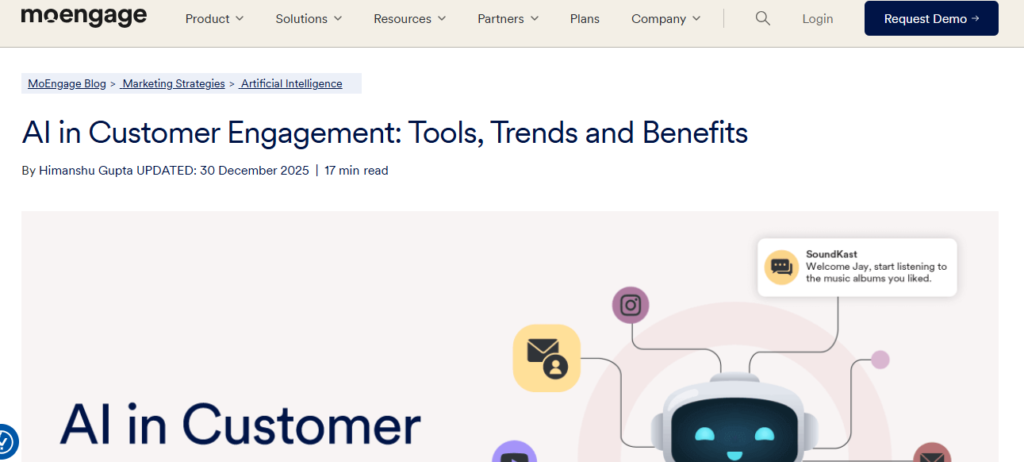
MoEngage is built for retention-first marketing to keep users active, loyal, and coming back.
Who it’s for: Product-led teams, apps, and brands focused on lifecycle marketing
What it solves: Users dropping off after sign-up or first purchase
Best use case: Push, email, SMS, and in-app journeys that adapt to user behavior
Why teams trust it: Its AI models are trained on engagement patterns.
Limitation: Requires clean event tracking to perform well
10. Omnisend (Commerce Optimization + Engagement)
Omnisend is designed for stores that want automation without building complex systems.
Who it’s for: E-commerce brands that want fast results with less setup
What it solves: Disconnected email, SMS, and push campaigns
Best use case: Sales-driven flows like cart recovery, cross-sell, and reorder reminders
Why teams trust it: Prebuilt automations are tuned specifically for commerce behavior
Limitation: Limited flexibility for non-commerce workflows
11. Vista Social (Social Engagement Automation)
Vista Social helps teams manage social media without turning it into a full-time job.
Who it’s for: Marketing teams handling multiple social channels
What it solves: Manual scheduling, inconsistent posting, slow replies
Best use case: AI-assisted scheduling, post optimization, and inbox management
Why teams trust it: Combines publishing, listening, and engagement in one place
Limitation: AI suggestions still need human review for brand tone
12. Mailsoftly (Emerging Automation for SMBs)
Mailsoftly is gaining ground among small businesses that want automation without enterprise complexity.
Who it’s for: SMBs and startups building their first automation stack
What it solves: Manual email workflows and low engagement
Best use case: Basic behavioral email automation and campaign scheduling
Why teams trust it: Simple UI, affordable pricing, and quick setup
Limitation: Limited AI depth compared to mature platforms
Updated Quick Guidance!
All-in-one orchestration: HubSpot, Salesforce
Personalization & journeys: ActiveCampaign, Klaviyo, MoEngage
Commerce-focused automation: Klaviyo, Omnisend
Budget-friendly automation: Mailchimp, Brevo, Mailsoftly
Real-time conversations: Drift
Social workflows: Vista Social
Workflow glue: Zapier AI
Which AI Marketing Automation Tool Is Right for Your Business?
The right AI marketing automation tool is the one that fits your data, team skills, and how fast you want to act on insights. You do not need the most expensive or the one with the biggest logo. A tool that gives you atleast 30% boost in productivity while you are the decision maker.
AI integration is better when there are data-driven decisions. You need to ask yourself these questions before selection:
• Can it access your data easily?
If your customer data lives in silos, even the smartest AI won’t help. The tool should pull and sync data from your CRM, website, ads, email, and analytics without a long setup.
• How deep are its integrations?
Good automation needs proper channel connections. Tools that only import data once won’t respond to real-time customer behavior.
• Does it act in real time?
AI’s advantage is reacting immediately. It is like sending an offer when a lead revisits a pricing page. If a tool waits for nightly batch jobs, you lose impact.
• Can you understand what it does?
Explainability matters. You need to know why AI made a suggestion, especially when it affects customer experience or spend.
• Does it protect privacy?
Look for consent controls, user data governance, and compliance with regional laws (GDPR, CCPA).
• Does your team feel confident using it?
Some tools are plug-and-play. Others need strategy and discipline. Pick one that matches your people, not your aspirations.
The best choice is the one that fits your current stack, skills, and speed of action. Remember, whether you go for AI tools or AI Agents, it totally depends on your previous performance. Since AI engages the previous data stats for the automation process, the data should be uniform.
Understand it like you have a stable marketing strategy that was working manually. Now you hunt for the right AI tools and Agents that pursue the automation.
What Are the Benefits of AI in Marketing Automation?
AI in marketing automation delivers measurable improvements in speed, relevance, and ROIs. Besides optimizing campaigns and driving better customer experience, the following are the benefits of AI in marketing automation:
Faster execution
AI handles repetitive work like audience updates, send times, and basic segmentation. Teams spend less time on busywork and more on strategy.
Better targeting
Instead of broad segments, AI identifies clusters of real behavior. People who are likely to open, click, or buy. That means less waste and more engagement.
Scalable personalization
AI custom messages for users are build form the patterns, past interactions, and signals. Your customer satisfaction side is all covered and right on time.
Lower cost per acquisition
By optimizing bids, timing, and audience focus in real time, teams often pay less for the same or better results. Since AI itself is trained for budget control, with human intelligence, there are more savings.
Clear ROI visibility
Modern AI systems tie actions to outcomes, so teams can see which steps drive revenue and which don’t. It moves marketing from gut feel to fact.
Less manual work
With automation handling routine decisions, human teams can focus on creative ideas, testing, and planning next-level experiences.
These benefits are why teams shift budgets toward automation and continuously refine their AI strategy. If you follow everything mentioned, automation becomes invisible, and results become visible.
What Are the Limitations and Risks of AI Marketing Automation?
Much like the accuracy needed in AI in Finance, automation risks must be managed. AI marketing automation can scale results fast, but it also scales mistakes just as quickly. The biggest risks appear when teams trust AI systems more than their data, strategy, or decisions.
Below are the limitations and reasoning that can cause chaos:
Bad data = bad automation
AI learns from your data. If customer behavior is incomplete, outdated, or biased, automation will amplify the wrong signals in real time.
Over-personalization risk
Hyper-targeted messages can cross the line. When personalization feels invasive, customers disengage or lose trust.
Bias in segmentation
AI models may group people in ways that exclude, mislabel, or unfairly prioritize audiences. This risk increases when training data lacks diversity.
Loss of brand voice
AI-generated content can detrack your brand voice. Without human review, messages start to feel generic or inconsistent.
Compliance exposure
Automated campaigns can accidentally use restricted data, trigger messages without consent, or violate regional rules when not governed properly.
Over-reliance on tools
AI supports decisions. It should not replace them. Teams that stop thinking critically lose control of strategy and outcomes.
Used carefully, AI improves marketing. Used blindly, it creates silent failures that are hard to detect until results drop.
What Are the Ethical and Governance Rules for AI Marketing?
Ethical AI marketing is about clear rules, documented processes, and human accountability built into every AI-powered workflow. The following are the factors that are non-negotiable:
Consent handling
Collect and use customer data only with clear permission. In the EU, GDPR sets strict rules around lawful, fair, and transparent processing, explicit consent, data minimization, and the right to be forgotten for marketing and automation workflows. Automation should respect opt-ins, opt-outs, and regional data laws by default.
Data boundaries
Limit what AI can access. Not every dataset should power personalization or targeting, even if it’s technically possible.
Human approval loops
Marketing teams must review sensitive content, major automations, and AI-driven decisions before they go live.
Documentation
Every AI system needs a record: what data it uses, how it makes decisions, and where it’s applied.
Audit trails
Teams should be able to trace why an action happened. This protects both customers and the business.
Internal accountability
Recent guidance on ethical AI in marketing shows that transparency about how data is used and how decisions are made is critical for long‑term customer trust. Assign ownership. Someone must be responsible for how AI-powered marketing behaves, performs, and evolves.
When governance is clear, AI becomes a controlled advantage. The nature of an AI-powered system is to assist and boost your normal productivity. All other means of its use are against the ethics in AI.
When Should You Use AI in Marketing Automation (and When Shouldn’t You)?
AI works best when it reduces complexity. The decision to use AI in marketing automation should depend on data maturity, workflow stability, and business risk.
Use AI when:
- You manage large datasets
AI-powered solutions work when marketing tasks involve thousands of users, events, and touchpoints that humans can’t track manually.
- You run multi-channel campaigns
If email, ads, web, and CRM operate together, an AI agent helps coordinate timing and messaging across channels.
- You need personalization at scale
When every customer needs different content, offers, or timing, AI can adapt journeys in real time.
Avoid AI when:
- Data quality is poor
Dirty, missing, or inconsistent data can cause automation to fail more quickly than it benefits from it.
- Brand tone is fragile
Early-stage brands or premium brands often need human control to protect their voice and trust.
- Campaigns are experimental
AI learns from patterns. If you’re testing ideas, human judgment is still faster and safer.
Be careful while making a decision on when to integrate AI in your marketing workflow. The right situation is the first step to perfect AI marketing automation. Safety is first!
How Can You Start Using AI in Marketing Automation Safely?
The safest way to use AI is to treat it like a junior marketer: helpful, fast, but always supervised. Marketing teams that win with AI follow a simple, repeatable approach.
Start with one workflow
Choose a low-risk automation like email timing or lead scoring. Avoid complex journeys at first.
Validate AI outputs
Review messages, segments, and triggers before launch. Early validation prevents silent errors.
Train the team
Everyone using AI must understand how it works, what data it uses, and where it can fail. Many teams now use AI-powered education tools to train marketers on consent, governance, and responsible automation before giving them full access.
Add governance rules
Define approval steps, data limits, and escalation paths for sensitive actions.
Scale gradually
Expand automation only after results stay consistent across multiple cycles.
A data-driven decision plus slow expansion keeps AI powerful, without putting your brand or customers at risk.
Conclusion
AI in marketing automation works when you treat it like a system, not a shortcut. It removes delays, connects your data, and helps you act while customers are still paying attention. But it only performs as well as your strategy and data allow.
Start small. Fix one workflow. Keep people involved in the decisions that affect customers. When automation runs quietly in the background, and results start showing up consistently, you’ll know you’re using AI the right way.