Discover, Compare & Master Find the best AI tools for your next project in seconds. Check our latest AI insights

Julius AI

Verified Trending

Julius AI analyzes spreadsheets & live data with notebooks, charts, Slack reporting, & connectors for teams that need fast business analysis.

4.6/5 editorial rating 541 upvotes
  • Main category: business
  • Subcategory: AI Analytics Assistant
  • Pricing: Freemium
  • Web
  • Best For Analysts, operators, founders, and business teams that need natural-language analysis, charts, notebooks, and live data queries without building a full BI stack.
  • Free Trial Yes
  • Reviewed By Waleed Fayyaz
  • Last Updated April 22, 2026

Editorial note: ratings and verdicts on this page are internal editorial assessments, not third-party user review averages.

Julius AI: Chat with Your Data Using AI

Julius AI Verdict

Julius AI is strongest for teams that want fast data analysis, visualizations, and reporting from files or live data sources without relying only on SQL or notebook code. The free plan makes initial evaluation simple, while the paid tiers add higher credit limits, stronger models, live connectors, collaborative workspaces, and Slack workflows. It is a better fit for spreadsheet-heavy and operations-heavy teams than for companies that need deep governed BI, large semantic layers, or custom enterprise analytics infrastructure.

What Is Julius AI?

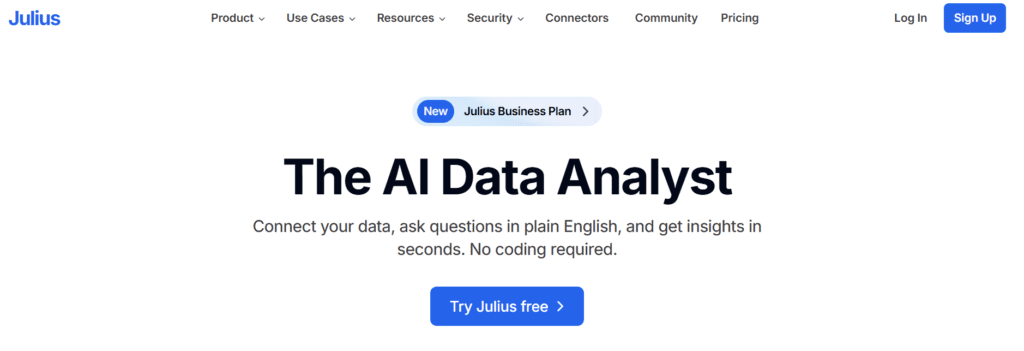
Julius AI is a web-based AI data analyst. It lets users connect data, ask questions in plain English, and get charts, tables, reports, and notebook-based analysis. The product supports files, spreadsheets, and live connectors, and it also offers automated reporting by Slack or email.
Its AI stack combines Julius models with external frontier models on paid plans. The pricing page lists Julius 1.1 Lite on the free tier and states that higher tiers include access to Julius models plus GPT 5.4, Claude Sonnet, and Gemini 3. The product also supports R, Python, and SQL for reproducible analysis, which indicates a mix of natural-language prompting and code generation for data work.
In professional workflows, Julius fits teams that need one place for ad hoc analysis, collaborative notebooks, scheduled reports, Slack delivery, and live queries across connected sources. Official pages list support for Google Drive, OneDrive, SharePoint, Snowflake, BigQuery, Postgres, and more, with business tiers adding custom agents, knowledge base connections, and private Slack channel use.


Review Summary

  • Performance Score A
  • Content Quality Julius produces charts, tables, reports, and notebook outputs from natural-language prompts, with code support available when users need reproducible analysis.
  • Interface The interface is built around plain-English querying, notebooks, templates, and connector-based analysis, which keeps setup lighter than traditional analytics tools.
  • Ai Technology LLM-based data analysis, natural-language querying, code generation, and data-agent workflows.
  • Purpose Its main objective is to help users analyze data, generate visualizations, and automate reporting from files and connected sources.
  • Compatibility Web app, Slack, notebooks, Google Drive, OneDrive, SharePoint, Snowflake, BigQuery, Postgres, and additional connectors.
  • Pricing Summary Julius uses a freemium model with credit-based limits for individual plans and seat-based business pricing for team plans.

Julius AI Key Features

  • 1

    Natural-language data queries.

  • 2

    AI notebooks.

  • 3

    Live data connectors.

  • 4

    Slack agent.

  • 5

    Scheduled report runs.

  • 6

    Chart generation.

  • 7

    Custom agents.

  • 8

    Knowledge base connections.

Who Should Use Julius AI?

Is Julius AI Worth It?

Julius AI offers a free starting point, while paid plans may make sense for heavier or team-based use.

Pros And Cons

Pros

  • Free plan is available for small projects and basic analysis.
  • Paid plans add access to stronger models, more credits, and more RAM.
  • Business plans support live warehouse connectors and Slack workflows.
  • Julius states that customer data is not used to train AI and is protected with encryption at rest and in transit.

Cons

  • Free plan is limited to 100 credits per month and 2 GB of RAM.
  • Advanced live data connectors are not included on the entry plans.
  • Team features such as private Slack channels and knowledge base connections start on higher tiers.
  • Enterprise-scale governance details are not as publicly detailed as traditional BI platforms. This is an editorial inference based on the public pricing and product pages reviewed.

Julius AI Pricing

Free

$0/month

  • 100 credits,
  • notebooks,
  • Google Drive connector,
  • 2 GB RAM

Plus

$20/month

  • 2,000 credits,
  • 1 seat,
  • Plus models,
  • unlimited charts

Pro

$40/month

  • 4,000 credits,
  • 1 seat,
  • Pro models,
  • 32 GB RAM,
  • expanded context window

Business

$450/month

  • 45,000 credits,
  • 10 seats,
  • live data connectors,
  • 1 custom agent,
  • public Slack channels

Growth

$750/month

  • 75,000 credits,
  • up to 30 seats,
  • unlimited custom agents,
  • private Slack channels,
  • knowledge base connections

Frequently Asked Questions