Generor Video ⭐ Verified
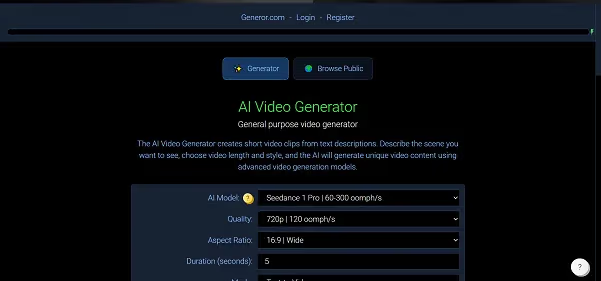

What is Generor Video?
With Generor Video, users can move from concept to final video in minutes rather than hours. The AI handles scene assembly, transitions, motion graphics, and stock media selection, enabling creators to focus on messaging and distribution. The interface is intuitive, the generation speed is efficient, and outputs are ready for quick publishing across platforms.
Review Summary
| Performance Score | A+ |
| Content Quality | Ready-to-publish short/medium clips |
| Interface | Web-based & Beginner-Friendly |
| Ai Technology | Generative Video AI Motion Graphics AI Stock Media Matching |
| Purpose | Enable fast video creation from minimal input |
| Compatibility | WebApp |
| Pricing Summary | Token-based (“Oomph” credits) |
Generor Video Key Features
| 1 | Upload assets or choose a concept |
| 2 | Automated scene building & motion graphics |
| 3 | AI-matched stock media & assets |
| 4 | Browser-based editor with minimal learning curve |
| 5 | Download-ready video exports |
| 6 | Template system for brand consistency |
Who is Best for Using Generor Video?
Generor Video is a browser-based AI video generation tool designed to help creators, marketers, and teams produce videos quickly from minimal inputs. By uploading assets or specifying a concept, users can generate video content without traditional filming or heavy editing. The platform supports streamlined workflows for social media, explainers, training modules, and marketing videos.
With Generor Video, users can move from concept to final video in minutes rather than hours. The AI handles scene assembly, transitions, motion graphics, and stock media selection, enabling creators to focus on messaging and distribution. The interface is intuitive, the generation speed is efficient, and outputs are ready for quick publishing across platforms.
Is Generor Video Free?
Generor Video offers a free plan with limited features. Paid plans start at $44
Pros & Cons
Pros
- Very fast video creation from minimal input
- Web-based, no heavy software installation
- Beginner-friendly interface
- Good for social, promo, & training videos
- Helps scale video output without high production cost
Cons
- Limited advanced editing compared to pro tools
- Free tier may include watermarks or quality limits
- Custom/long videos may require external editing
- Not suitable for full-length cinematic production