Discover, Compare & Master Find the best AI tools for your next project in seconds. Check our latest AI insights

Document360

Verified Featured Trending

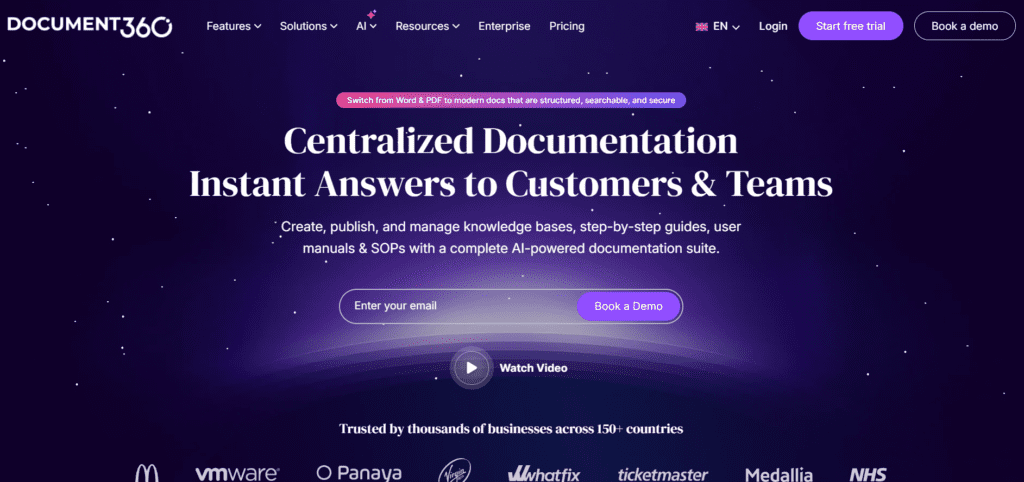
Document360 review covering knowledge base software, documentation tools, pricing, features, and how to build scalable help centers fast.

4.5/5 editorial rating 845 upvotes
  • Main category: Education
  • Subcategory: AI Knowledge Base
  • Pricing: Custom pricing
  • Web
  • Best For Help centers, internal documentation, API docs, and self-service support. AI Writing, Chatbot, Summarizer and more.
  • Free Trial Yes
  • Reviewed By arbaazkhan
  • Last Updated April 2, 2026

Editorial note: ratings and verdicts on this page are internal editorial assessments, not third-party user review averages.

Document360 Verdict

The Daily AI Tools experts found that Document360 delivers a clean, structured, and scalable documentation experience built for modern teams. The Eddy AI agent excels in knowledge base creation and self-service support. Overall, it is a top choice for teams building professional documentation systems.

What Is Document360?

Document360 is a knowledge base and documentation platform that helps teams create, manage, and publish help centers, internal documentation, and API docs. It organizes information. It improves accessibility.

The AI-powered agent Eddy is the new addition. Teams write content and structure articles. The AI helps them in managing and automation.

Moreover, the platform offers self-service support, internal knowledge sharing, API documentation, and content management. It reduces support tickets and improves user experience.

Document360 focuses on structured documentation, easy navigation, and scalable content management. It acts as a central hub. It helps teams deliver consistent and searchable knowledge.


Review Summary

  • Performance Score A
  • Content Quality High
  • Interface User-Friendly
  • Ai Technology AI content assistance, search optimization systems, content categorization engines, analytics tracking systems, workflow automation tools
  • Purpose SaaS companies, product teams, support teams, technical writers, enterprises
  • Compatibility Windows, macOS, Cloud-based access
  • Pricing Summary Paid Subscription with Free trial.

Document360 Key Features

  • 1

    Knowledge Base Builder

  • 2

    Category Manager

  • 3

    Markdown Editor

  • 4

    Version Control

  • 5

    AI Content Assistance

  • 6

    Advanced Search

  • 7

    Custom Branding

  • 8

    Analytics Dashboard

  • 9

    API Documentation

  • 10

    Access Control

  • 11

    Backup & Restore

  • 12

    Multi-language Support

  • 13

    Integration Support

  • 14

    Workflow Management

  • 15

    SEO Optimization Tools

Who Should Use Document360?

Document360 review covering knowledge base software, documentation tools, pricing, features, and how to build scalable help centers fast.

Is Document360 Worth It?

Document360 is a paid product, so value depends on whether its features, performance, and workflow justify the cost.

Pros And Cons

Pros

  • Excellent knowledge base structure and usability
  • Strong documentation and content organization
  • Scalable for growing teams
  • Supports both public and private documentation

Cons

  • Advanced features require higher-tier plans
  • Learning curve for new users
  • Pricing increases with scale

Document360 Pricing

Professional

  • Eddy AI Writing Agent
  • Internal & External Knowledge Base
  • Custom Web Address
  • Import from Word
  • Auto-Translate to 50+ Languages
  • SEO Customization
  • Customise Knowledge Base Design
  • API Documentation
  • Download Article as PDF
  • Feedback Manager
  • 24/5 Support
  • Guided Setup

Enterprise

(Custom)

  • Single Sign-On (SSO)
  • Interactive Decision Tree
  • Testing Environment
  • Security Audit Trail
  • Dedicated Design Expert
  • 24/5 Priority support

Frequently Asked Questions