

FreeTTS ⭐ Verified
What is FreeTTS?
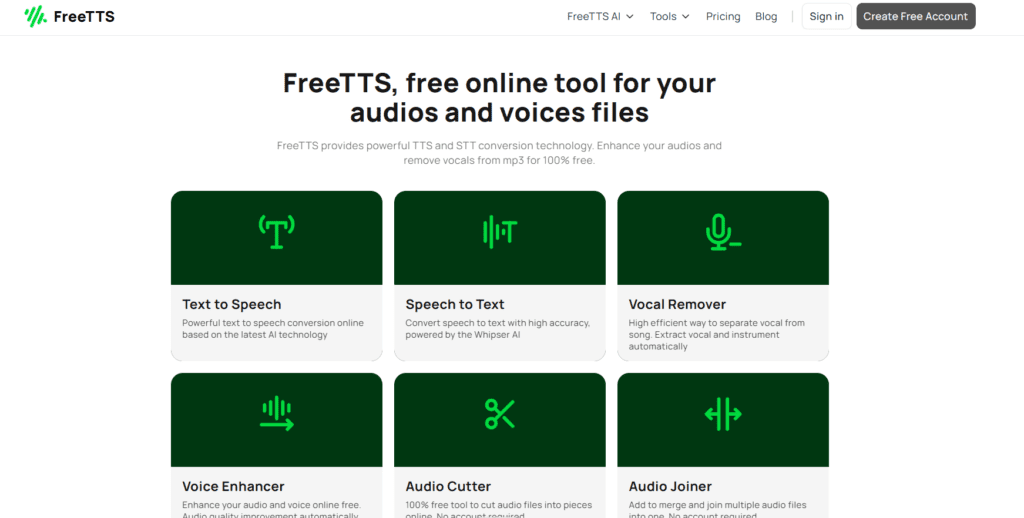
FreeTTS is an AI text-to-speech platform that converts written text into realistic spoken audio using advanced voice synthesis technology. The tool allows users to generate natural sounding voiceovers by simply entering text and selecting a preferred AI voice. Within seconds, the platform produces downloadable audio files suitable for narration, videos, or presentations. The platform supports multiple languages and voice styles, enabling users to generate speech for a wide range of use cases such as educational content, YouTube voiceovers, podcasts, and accessibility tools. Its AI voice engine analyzes text structure, punctuation, and sentence flow to produce smooth and natural speech output. This makes FreeTTS useful for creators who want quick and professional sounding narration. Because FreeTTS is browser-based and easy to use, it works well for beginners and professionals who need fast audio generation. Users do not need advanced technical knowledge to create voiceovers or speech content. The platform focuses on speed, accessibility, and simplicity while delivering clear AI-generated audio. FreeTTS AI Review Summary
Review Summary
| Performance Score | A |
| Content Quality | High |
| Interface | User-Friendly |
| Ai Technology | Neural text-to-speech synthesis, Natural Language Processing, Deep learning voice modeling, AI voice synthesis engines, Speech generation algorithms, Machine learning |
| Purpose | AI text-to-speech conversion, Video voiceovers and narration, Podcast and audiobook voice generation, Educational and e-learning audio content, Content creation for YouTube and social media, Voice generation for presentations, |
| Compatibility | Windows, macOS, Linux, Mobile browsers |
| Pricing Summary | Free tier + Subscription plans |
FreeTTS Key Features
| 1 | AI Text-to-Speech Conversion |
| 2 | Multiple AI Voices |
| 3 | Multilingual Voice Support |
| 4 | Fast AI Voice Generation |
| 5 | Downloadable Audio Files |
| 6 | Natural Pronunciation Engine |
| 7 | Simple Text Input Interface |
| 8 | Browser-Based Voice Generator |
| 9 | Adjustable Speech Parameters |
| 10 | Lightweight Voice Generation Tool |
| 11 | Accessibility Voice Tool |
| 12 | Content Narration Support |
Who is Best for Using FreeTTS?
FreeTTS review covering features, pricing, and AI text-to-speech capabilities. Convert text into natural voices for videos, voiceovers, and audio content.
Is FreeTTS Free?
FreeTTS offers a free plan with limited features. Paid plans start at $6.90/Month
Pros & Cons
Pros
- FreeTTS provides fast and reliable AI text-to-speech generation with clear voice output, making it suitable for quick voiceover creation.
- The platform’s simple browser-based interface allows users to convert text into speech instantly without technical setup.
- Its multilingual voice support enables creators to generate audio content for different languages and audiences.
- Generated speech files can be downloaded and integrated into videos, podcasts, or presentations with ease.
Cons
- The free plan includes limited voice options and usage capacity, which may restrict heavy users.
- Advanced voice customization features are less extensive than premium AI voice synthesis platforms.
- Some premium voices and extended generation capabilities are only available in paid plans.



