Zamzar ⭐ Verified
What is Zamzar?
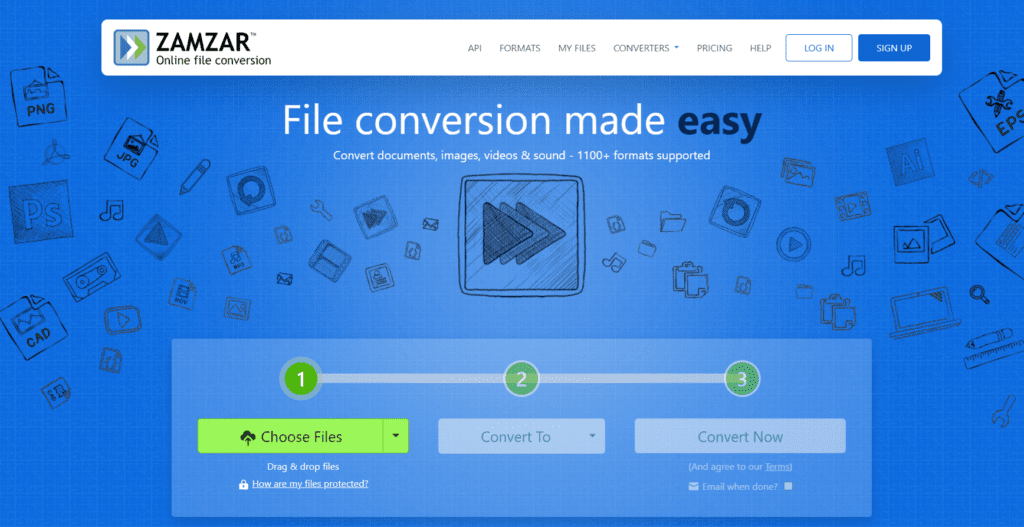
Zamzar is an online file conversion platform that allows users to convert files from one format to another directly in a web browser. The tool supports hundreds of file formats, including documents, images, audio files, videos, and eBooks. Users simply upload a file, select the desired output format, and download the converted file once processing is complete. The platform is widely used for document conversion, media file processing, and compatibility adjustments between different software formats. For example, users can convert files such as PDF to Word, JPG to PNG, MP4 to MP3, or DOC to PDF within a few steps. Zamzar’s cloud-based processing system handles the conversion automatically, making it accessible to non-technical users. Because Zamzar operates entirely online, users do not need to install software or manage complex configuration settings. The platform prioritizes simplicity and efficiency, enabling users to complete file conversions quickly. This makes Zamzar especially useful for students, professionals, and businesses that frequently work with multiple file formats.
Review Summary
| Performance Score | A+ |
| Content Quality | High |
| Interface | User Friendly |
| Ai Technology | Automated file format recognition, Cloud-based conversion processing, File compression and encoding algorithms, Media transcoding systems, Document structure preservation technology, Secure file handling infrastructure |
| Purpose | File format conversion, Document conversion (PDF, Word, Excel), Video and audio file conversion, Image format transformation, eBook format conversion, Media compatibility adjustments, Quick online file processing |
| Compatibility | Windows, macOS, Linux, Mobile browsers |
| Pricing Summary | Free limited usage + Subscription Plans |
Zamzar Key Features
| 1 | Online File Conversion |
| 2 | Supports 1,200+ File Formats |
| 3 | Drag-and-Drop Upload |
| 4 | Document Format Conversion |
| 5 | Video Conversion |
| 6 | Audio File Conversion |
| 7 | Image Format Conversion |
| 8 | eBook Conversion |
| 9 | Cloud-Based Processing |
| 10 | Email File Delivery |
| 11 | Secure File Handling |
| 12 | No Software Installation |
| 13 | Quick Conversion Workflow |
| 14 | Cross-Platform Accessibility |
Who is Best for Using Zamzar?
Zamzar review covering features, pricing, and file conversion capabilities. Convert documents, videos, images, and audio files quickly online.
Is Zamzar Free?
Zamzar offers a free plan with limited features. Paid plans start at $5/ Month
Pros & Cons
Pros
- Offers extensive support for file formats with reliable conversion quality, making it suitable for documents, media files, and eBooks.
- Its simple drag-and-drop interface enables users to convert files quickly without requiring technical knowledge.
- The cloud-based system allows fast processing while eliminating the need for software installation or system configuration.
- Long-standing reputation and stable infrastructure make it one of the most trusted online file conversion tools available.
Cons
- The free plan includes file size limitations, which may restrict larger media conversions.
- Advanced features and higher conversion limits are only available with premium plans.
- Uploading very large files may take longer, depending on the internet speed