

Fotor ⭐ Verified
What is Fotor?
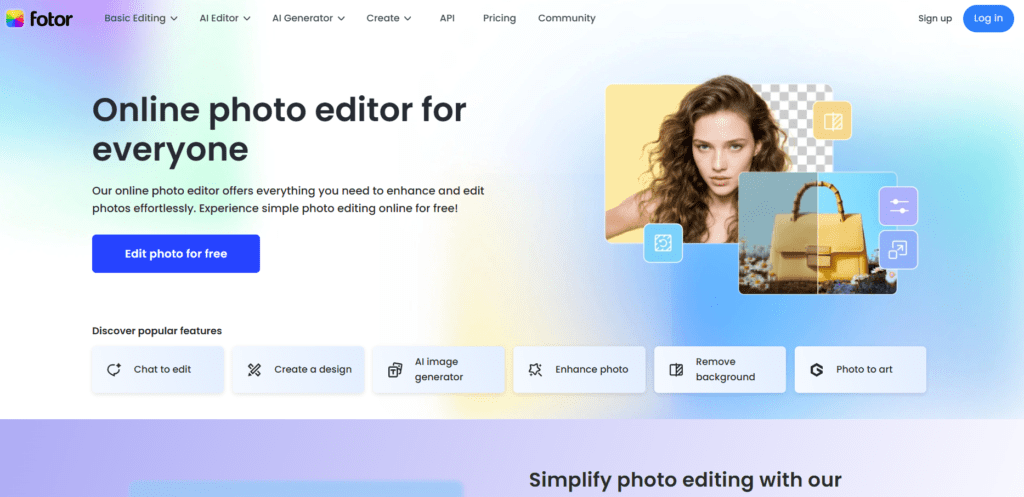
Fotor is an AI-powered photo editing and graphic design platform that allows users to enhance images, generate artwork, and create marketing visuals using intelligent automation tools. The platform combines artificial intelligence with traditional editing features to simplify complex photo-manipulation tasks. Users can generate images from text prompts, automatically remove backgrounds, enhance photos with AI, and apply creative design templates. These features allow creators to transform ordinary photos into professional visuals without advanced design skills. Moreover, it works as a creative AI studio for photographers, designers, marketers, and social media creators. With editing tools, design templates, and AI image generation capabilities in a single platform. Because of its easy interface and automation tools, Fotor has become a solution for AI photo editing, visual content creation, and digital design projects.
Review Summary
| Performance Score | A+ |
| Content Quality | Very-High |
| Interface | User-Friendly |
| Ai Technology | AI image generation from text prompts, AI background removal, AI photo enhancement algorithms, AI portrait retouching, AI art filters and style transfer, AI object removal tools, automated design generation |
| Purpose | AI photo editing, image generation with AI, marketing graphic design, social media content creation, photo enhancement and retouching, digital artwork creation, visual branding and advertising |
| Compatibility | Windows, macOS, iOS, Android |
| Pricing Summary | Free tier + Multipurpose Subscription Plans |
Fotor Key Features
| 1 | AI Image Generator |
| 2 | AI Photo Enhancer |
| 3 | AI Background Remover |
| 4 | AI Object Remover |
| 5 | AI Portrait Retouching |
| 6 | AI Art Effects |
| 7 | Graphic Design Templates |
| 8 | Collage Maker |
| 9 | Text and Typography Tools |
| 10 | Batch Photo Editing |
| 11 | Stock Photo Library |
| 12 | Cloud-Based Editing |
Who is Best for Using Fotor?
Fotor review covering AI photo editing, image generator, background remover, design templates, pricing, and creative tools for visual content creation.
Is Fotor Free?
Fotor offers a free plan with limited features. Paid plans start at $8.99/Month
Pros & Cons
Pros
- Fotor provides AI-powered photo editing tools that simplify complex editing tasks.
- The platform offers image generation and design templates within a single creative workspace.
- The freemium model allows beginners to start editing without paying up front.
- Cloud-based tools make editing accessible across devices.
Cons
- Some advanced AI features are restricted to premium plans.
- The free plan includes limited design assets and AI credits.
- Professional designers may require advanced desktop tools for complex projects.



